
How to Review AI-Generated Code from Claude
Code generation has been much simplified and accelerated due to the entry of AI coding assistants such as Claude Code. The platform is typically advertised and encouraged for use due to its simplicity and speed. Just describe what you want in natural language, and in a matter of seconds, you have working code as output. Seems like magic, right?
To the unversed and freshers, definitely yes. Not so much for the experienced developers. They are fully aware that just because a code “looks” right doesn’t mean that it’s right. For people new to the field or those who don’t have a technical background, it is easy to fall into the trap of just copying and pasting whatever Claude gives you.
Many developers do this at the start. It seems like it’s working perfectly fine, until it doesn’t.
| Key Takeaways: |
|---|
|
Why Do I Need to Review AI Code?
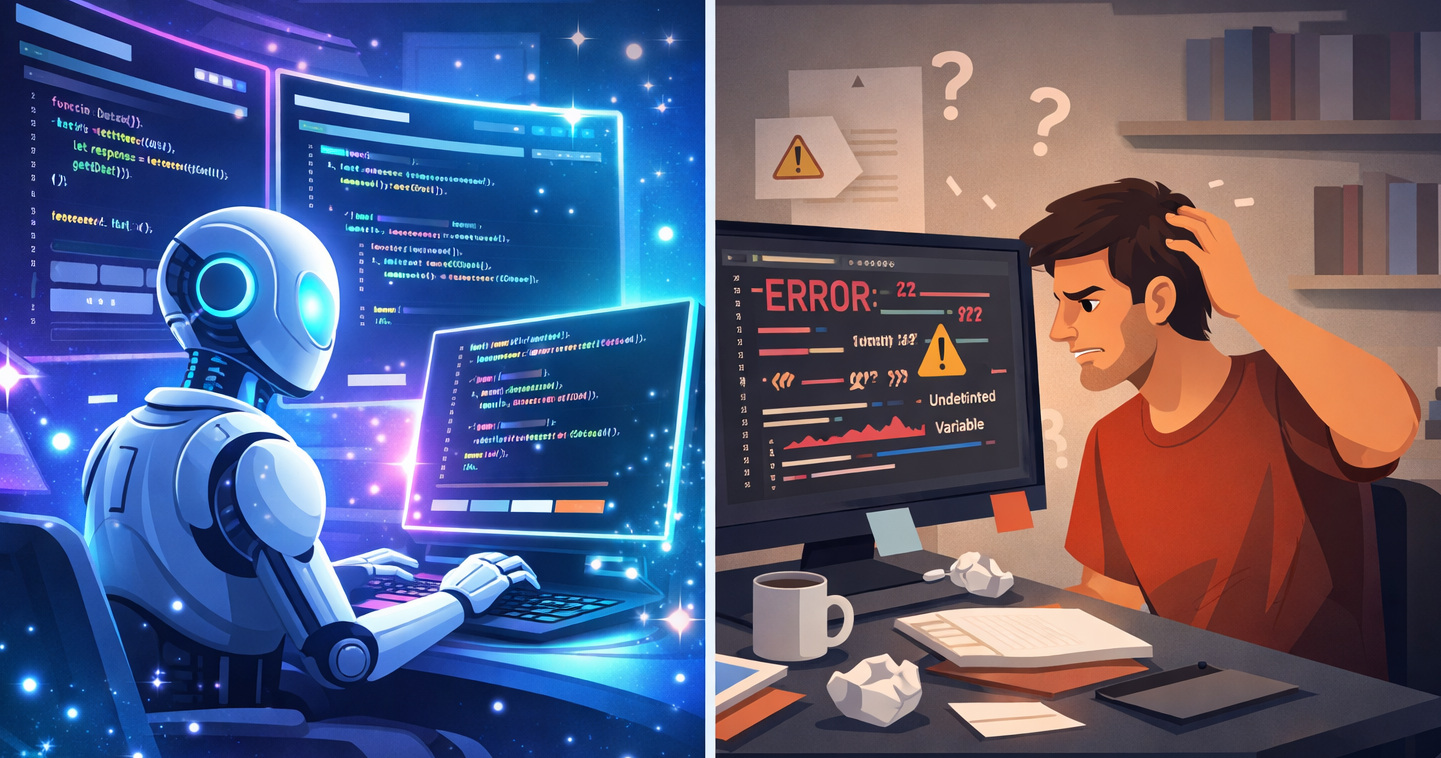
It is important for developers to understand and acknowledge that AI tools are “know-it-all”. There has been continuous and well-documented evidence of the AI “hallucinations”.
When Claude is writing code, it isn’t “thinking or plotting” like a human developer. The AI tool is simply forecasting what the code should resemble based on the patterns and examples it has seen before. So, it can produce something that “looks” correct, but does it work? You won’t know until you review and test the code.
And the risks aren’t always obvious.
- A function breaks on an edge case
- A condition doesn’t handle unexpected input
- Security vulnerabilities in how data is handled
- Inefficient logic that slows down your application
- Incorrect assumptions that silently break functionality
This is why reviewing AI-generated code is not optional; it’s essential.
Claude should be used as an assistant or an overenthusiastic junior developer. They still need your supervision despite helping you move faster.
Read: What Is Agentic Coding? Understanding Autonomous AI in the Developer Workflow.
How to Review AI-Generated Code
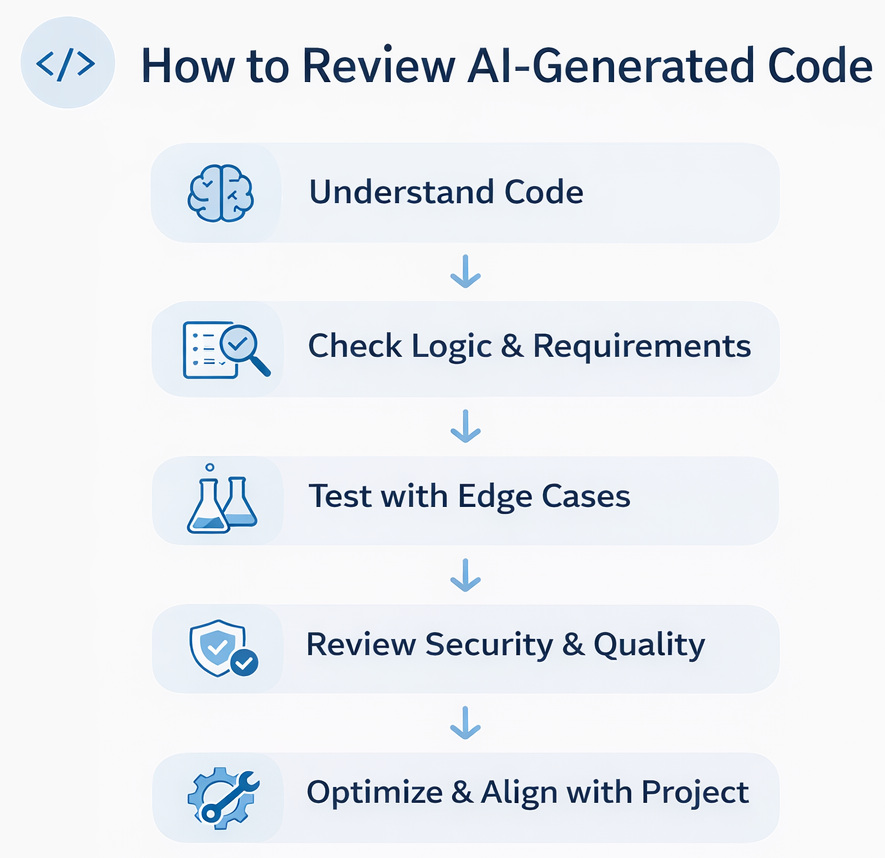
- Review the Approach: The readability of code is important, but a more important factor is to understand the approach. Make Claude give you a detailed account by asking it to give you its plan outline before it even starts a single line of the code. So when you review the outline, and you feel the plan is bad, then the code is going to be bad too. This is your first and most important checkpoint.
- Check the Readability: This is a step that many developers, especially the freshers, miss out on. Yes, you need to go for a senior or peer for review, but first read it yourself. Before you run the code or test code, just read it. Try to understand what each part is doing. If something is not making sense, don’t ignore it or keep it aside for later.
This confusion is usually an indication that something might be incorrect.
- Make Claude Explain it: If you are not understanding the code, you can use the
/simplifyto simplify the code or ask Claude to explain the code block. With this, you are able to understand better than you think because you start seeing the patterns.Now/simplifyis a recently added Claude skill. What this code does is to utilize parallel agents and enhance code quality. It tunes code efficiency and makes sure ofCLAUDE.mdcompliance. - Does the Code Actually do What You Want it to Do?: Once you have the basic understanding, you need to check if the generated code actually solves the problem. AI tools have been known to misunderstand instructions. You might ask for one thing, but Claude could have given you something adjacent. It was close enough that you didn’t notice it immediately.
Say, for example, you had asked it to generate code for a function to filter valid users. And the generated code does work for normal inputs. But did you check if it works when the input is empty? Or say if the data format was changed slightly.A human developer (experienced) manually writing the code will think of these scenarios and code them relevantly. These are also called edge cases. So you need to test for edge cases. But AI-generated code often breaks in such scenarios.So rather than just assuming that the AI-generated code works, try to “challenge” it, use edge cases. Give unusual inputs. Only by pushing it can you identify where the cracks start to appear.Additional Reading: Agentic Coding vs. Vibe Coding: Comparing AI-Coding Paradigms for Developers.
- Code Quality: AI-generated code might work well, but it often isn’t written following the best practices that your organization or team follows. Often, it is more complicated than it needs to be. The structure might feel messy, or the variable names may not following the nomenclature and may be messy. It matters more than you know.
Good code isn’t just about making things work. It’s also about making things easy to understand later on. It should be clear to you, reading a few weeks down, or someone else reading it months or years later.If you think something is unnecessarily complex, it probably is. Try simplifying it. You can even ask Claude to rewrite the code section more neatly.- Does it Fit the Project: A common factor that freshers may overlook is consistency. The code might work, but it needs to match the structure and style of the project. Another scenario is that some sections are AI-generated and some are manually written. In these scenarios, you need to review if the codebase follows the specific naming style or organization, and adhere to it.
This review is less about correctness and more about long-term maintainability. Clean, consistent code is a necessity rather than a good thing to have, especially when the project grows.
Read: How to Get Better Results from Claude Code Every Time.
Use Second Opinion
A common trick used by developers is to use another AI tool like Codex or Gemini to audit the Claude-generated code for errors or lazy implementation. Anthropic has launched Code Review for Claude Code. It places a team of agents on each PR to detect bugs that manual reviewers or other tools could have missed. This is built more for depth and not speed. The Code Review is an updated (and expensive) version of the existing Claude Code GitHub Action (open-source).
Is there a Checklist to Follow?
While there is no established checklist, the following is a commonly used checklist that can be used to review AI-generated code:- Consistency and Accuracy: Review for logic errors, edge cases, and off-by-one errors. Identify abstraction levels, patterns, and inconsistent naming conventions. Make sure to verify for type mismatches and implicit assumptions between components.
- Performance and Resource Management: Always check for memory leaks (unclosed connections, missed cleanup, non-eliminated event listeners, and circular references). Also review for N+1 queries, unrequired re-renders, unbounded data structures, missing timeouts, rate limits, or backpressure on I/O operations. Review for blocking calls in async contexts.
- Code Quality: Check for every single instance of duplicated logic and suggest specific abstractions (DRY (Don’t Repeat Yourself) violations). Remove unreachable branches, dead code, and unused imports. Flag any function going over 30 lines and functions doing SRP (Single Responsibility Principle) violations.
- Prevent Overengineering: Remove any useless design patterns, wrapper classes, or config-driven logic that could have simply been a function.
- Error Handling and Resilience: Review for silent failures, overlooked exceptions, and missing error propagation. Check for missing input validation at trust boundaries.
- The Problem with .md files Review: An issue identified with AI-generated code is that they also tend to bring probabilistic behavior, risks of prompt injection, unnecessary access to the tool, behavior changes in the absence of structural changes, and implicit business logic embedded in natural language.
Such scenarios need updated actions like version tagging, an AI-specific review checklist (scope control, security, and ambiguity), an established output schema, tool permission governance, etc.
For every issue identified, always provide the severity of the problem (minor/major/critical), exact location (File: line), a detailed one-line description of the issue, and a fix (not just vague “consider improving”, a proper refactor or code change).
Can We Not Trust Claude’s AI-Generated Code

Honestly, you can trust it sometimes. For simpler tasks, after testing the code, you can trust it. But if you are generating code for something more important, such as a production environment, review it carefully.
It’s a coding assistant. It still needs close human monitoring and judgment.
A Limitation to Keep in Mind: No Built-in Testing
One important limitation of tools like Claude is that testing isn’t part of the process by default. You get code quickly, but there’s no guarantee it has been validated against real requirements.
That responsibility still falls on you.
This is where a different approach, like spec-driven (SDD) or test-driven development (TDD), can help. Tools like codeCake start with tests written in plain English that describe how a feature should behave. The code is then generated or updated so that those tests pass.
In simple terms, instead of just asking for code, you define what “correct” looks like first.
This doesn’t mean Claude isn’t useful; it just means you need to be extra careful with testing and validation when using it. Or use supportive tools such as codeCake in conjunction to make the development process quick, easy, and efficient with AI.
Final Thoughts
Taking Claude’s help for coding does save a lot of time. It helps us to learn faster, build quicker, and experiment more recklessly.
But the skill isn’t limited to generating code; it also involves the ability to review it.
When you master the skill to review AI-generated code finely, you will see a big difference. Cleaner logic, reduced bugs, and more trust in what you build.
Frequently Asked Questions (FAQs)
- Can I trust code generated by Claude?
A: Trust it to an extent, not blindly. You would not trust a fellow human developer’s code blindly, so why trust a tool? Claude is great for generating working code quickly, but it can still make mistakes. It’s always a good idea to review, test, and understand the code before using it in real projects.
- What are the most common mistakes in AI-generated code?
A: Some common issues include missing edge cases, inefficient logic, poor error handling, and sometimes even security risks.
- How do I check if AI-generated code is correct?
A: The simplest way is to test it with different inputs. Try normal cases, edge cases, and even incorrect inputs to see how the code behaves. If it handles all of them well, it’s more likely to be reliable. For more complex scenarios, you can use tools for the same purpose.
- Code Quality: AI-generated code might work well, but it often isn’t written following the best practices that your organization or team follows. Often, it is more complicated than it needs to be. The structure might feel messy, or the variable names may not following the nomenclature and may be messy. It matters more than you know.
