
Best ChatGPT Prompts for Code Generation (With Examples)
Artificial intelligence (AI) has revolutionized the process of software development, and ChatGPT, the AI chatbot, stands at the forefront of this transformation. Software professionals, irrespective of whether they are freshers or seasoned developers, increasingly use ChatGPT for their development work. However, whether ChatGPT works for you as you expected depends on the prompt that you input.
| Key Takeaways: |
|---|
|
This article summarizes some of the best prompts that you can input to ChatGPT for code generation.
Why Prompts Matter in Code Generation?
ChatGPT is an AI chatbot. It doesn’t “think” like a human developer but responds based on prompts you input. A vague, unclear prompt will generate a vague code, while a well-structured prompt will produce accurate, optimized, and usable output.
For example, the prompt "Write code for login" will also give a vague output as it does not have a context, constraints, or any other reference, such as a programming language. However, this prompt, "Write a basic login function in Python," is a lot clearer and states that the code generated should be a very basic function in the Python programming language.
In general, when you write prompts for ChatGPT, the more context and background you provide, the better the output.
Understanding ChatGPT’s Capabilities and Limitations
ChatGPT is an incredibly powerful AI-based model that aims to generate human-like text output, coding, and brainstorming. It is highly efficient at content creation and summarization, but it can also exhibit biases from training data or hallucinate incorrect information. It constantly requires human oversight.
Despite its efficiency, ChatGPT has significant limitations in terms of accuracy, logical reasoning, and real-time knowledge. Let us summarize ChatGPT’s capabilities and limitations.
| ChatGPT Capabilities | ChatGPT Limitations |
|---|---|
| Content Generation & Coding: ChatGPT generates content such as essays, emails, code, poems, and scripts very efficiently and quickly. | Hallucinations: ChatGPT can confidently generate inaccurate, false, or fabricated information. |
| Summarization & Translation: It can summarize long texts and translate languages effectively. | Limited Knowledge Updates: Different model versions have different levels of knowledge. So, some older models may not be aware of recent events. |
| Conversational Interface: ChatGPT maintains context across conversations and offers 24/7 support. | Lack of Reasoning: As an AI model, ChatGPT lacks true common sense, a deep understanding, and the ability to evaluate ethics/logic. As a result, it often struggles with complex multi-step problems. |
| Brainstorming: When it comes to creative and professional tasks, ChatGPT can act as your brainstorming partner. | Bias & Sensitivity: ChatGPT is sensitive to phrasing in prompts. A small change in the prompt or a slight rephrasing can drastically change the output. It is also known to introduce biases into the training data. |
| Drafting: It can quickly generate first-pass drafts that developers can refine. | No Real Memory: It has no permanent memory as such and cannot recall previous conversations across the sessions. |
As a developer, you have to use ChatGPT responsibly by constantly verifying facts. This is particularly important in critical industries like healthcare and law.
Prompts you use should be clear and specific so that there is no confusion. Remember that you should never treat outputs as final. Always treat an output as a draft, refine the prompt, and regenerate the output.
Structure of a Good Code Generation Prompt
- Task Description: The task you want to build. For instance, a program code you want to generate.
- Programming Language: The programming language for the code you want to generate. For example, Python, JavaScript, etc.
- Constraints: The limitations you want to set, such as performance, libraries, and architecture.
- Input/Output Examples: Any particular example you want to provide so that the AI model references it when generating output. This is an optional item, but if provided, it generates more accurate output.
- Use Case Context: The background and context for the code. For example, whether you want to generate an API function, web application code, or a CLI?
Write a [type_of_code] in [programming_language] that [does_X], using [constraints/tools]. Include [extra requirements].
Basic ChatGPT Code Generation Prompts
These prompts are ideal for beginners who intend to learn programming languages or coding. In this type, you provide simple prompts to the ChatGPT to write a simple function, explain a basic construct, or demonstrate any simple concept like loops, conditional statements, or file I/O.
Here are some of these prompts.
Simple Function
You can write a prompt to write a simple function in a specific programming language, as shown in the example below.
Write a Python function to check if a string is a palindrome
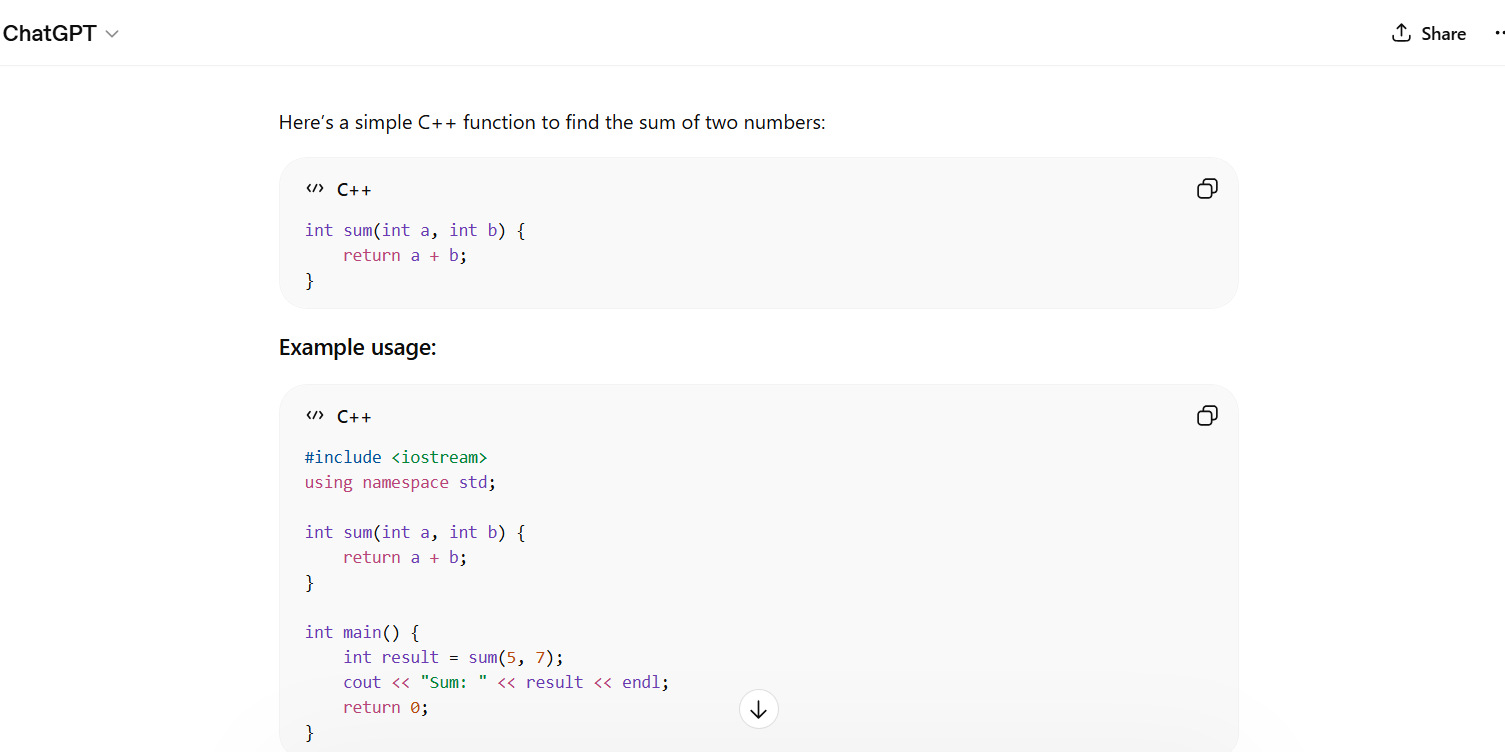
Write a C++ function to find the sum of two numbers
Output:
Loop and Conditions
You can also generate code for loops and conditions by giving appropriate prompts.
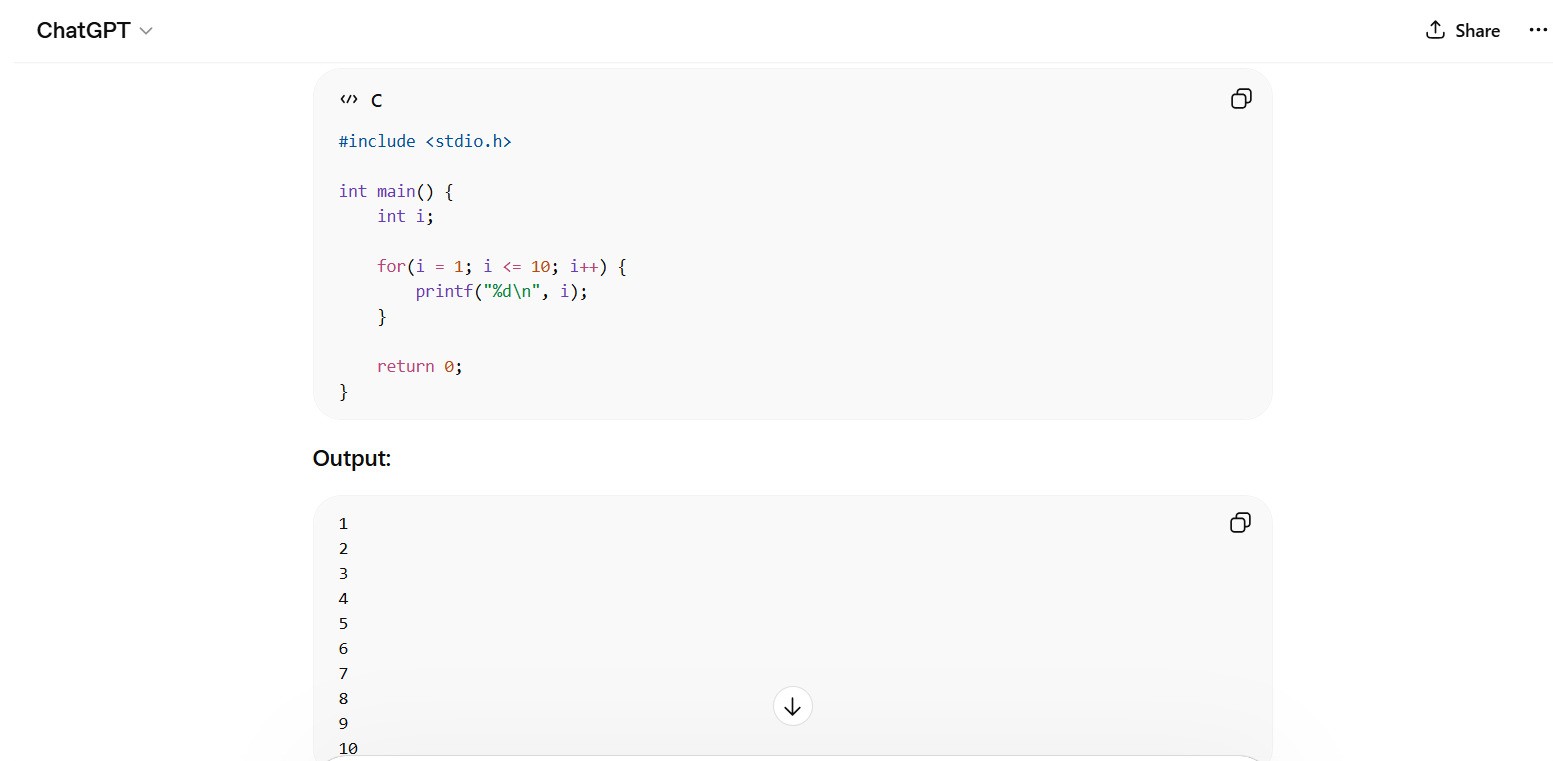
Write a C program to print numbers from 1 to 10
Output:
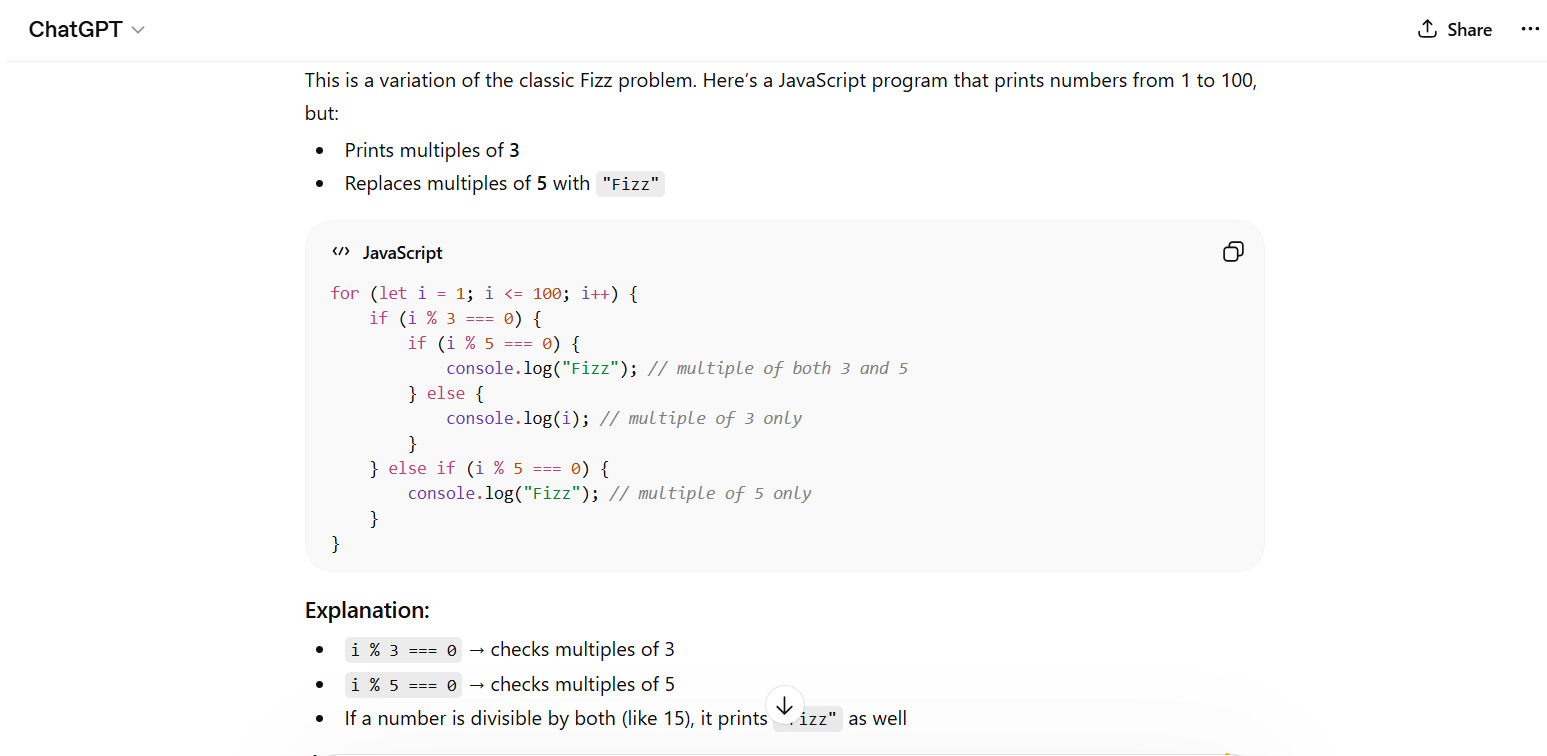
Write a JavaScript program to print only multiples of 3 for numbers from 1 to 100, replacing multiples of 5 with "Fizz."
Output:
Input/Output Program
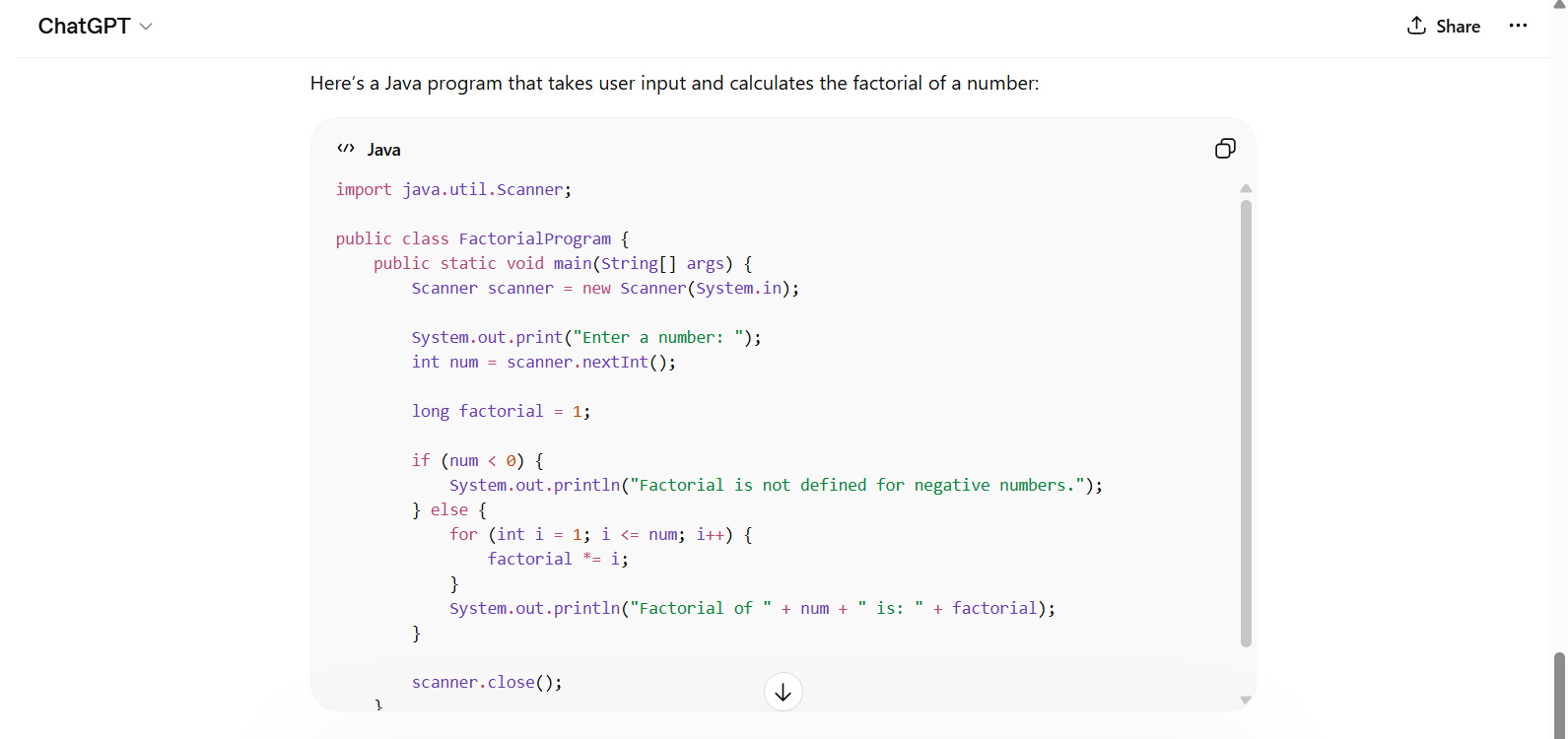
Create a Java program that takes user input and calculates the factorial
Output:
Intermediate ChatGPT Prompts for Real Tasks
You can generate code by providing intermediate prompts for real-world tasks. Such prompts include more detailed context and generate production-ready code. The prompts are as follows:
API Development
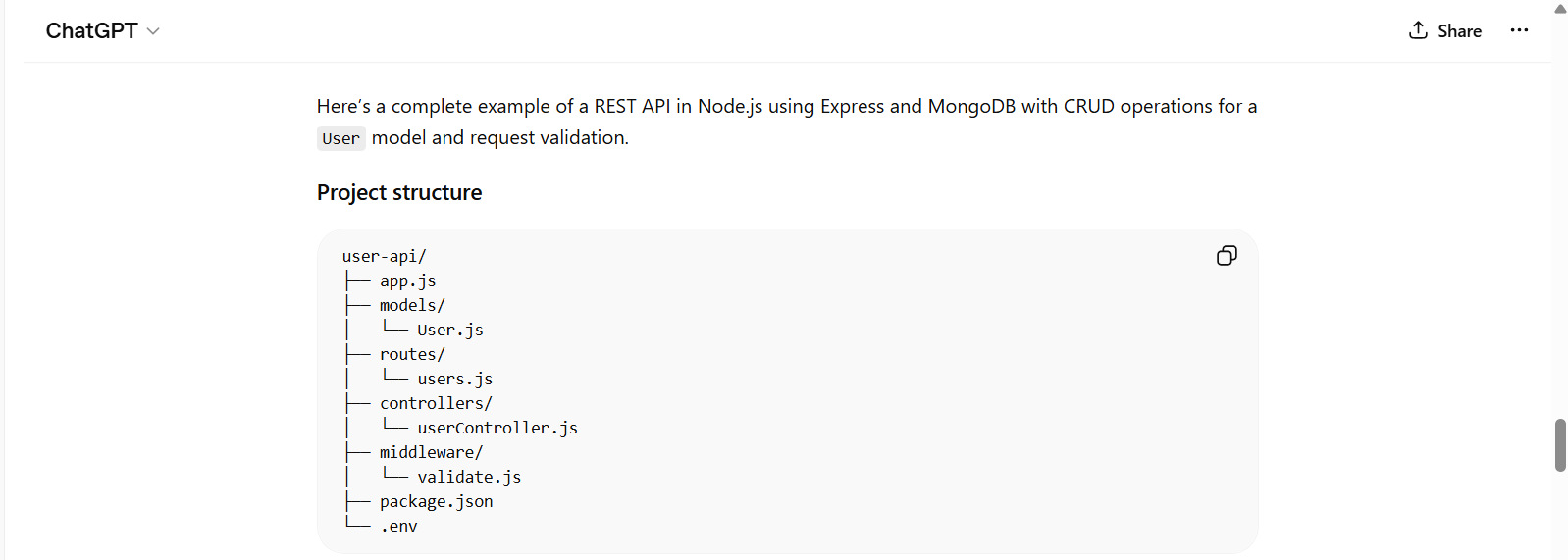
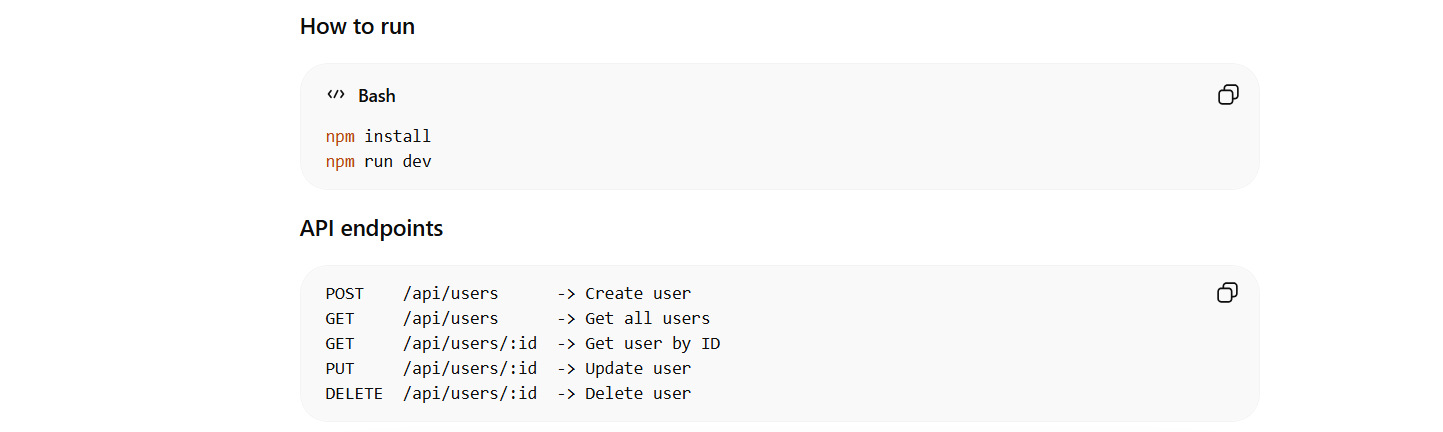
Develop a REST API in Node.js using Express and MongoDB, performing CRUD operations for a user model. Include validation.
This prompt generates the entire project structure for the user model with code files, validations, database schema, and improvements. The following screenshot shows part of the output.
Output:
Data Processing
You can generate code for data processing tasks such as reading CSV/XLS files, handling missing values, or displaying statistics.
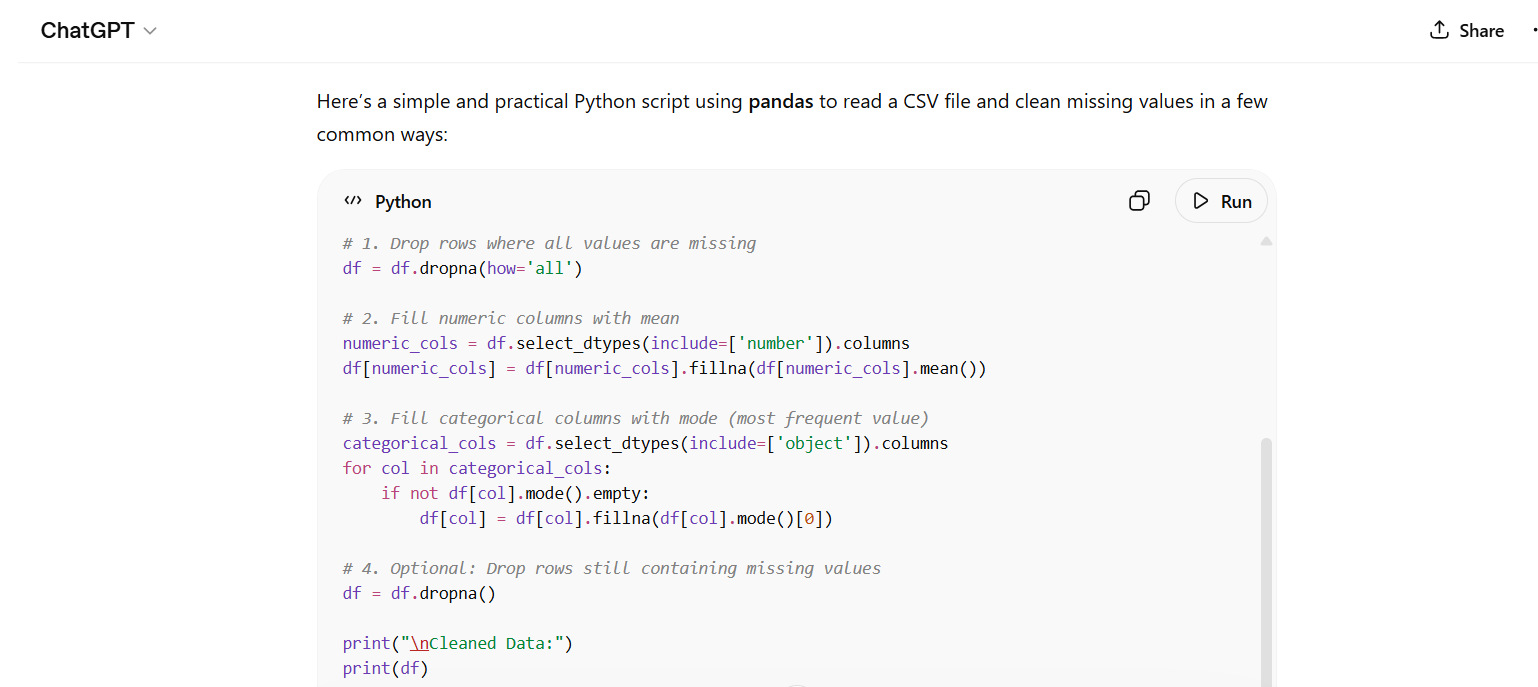
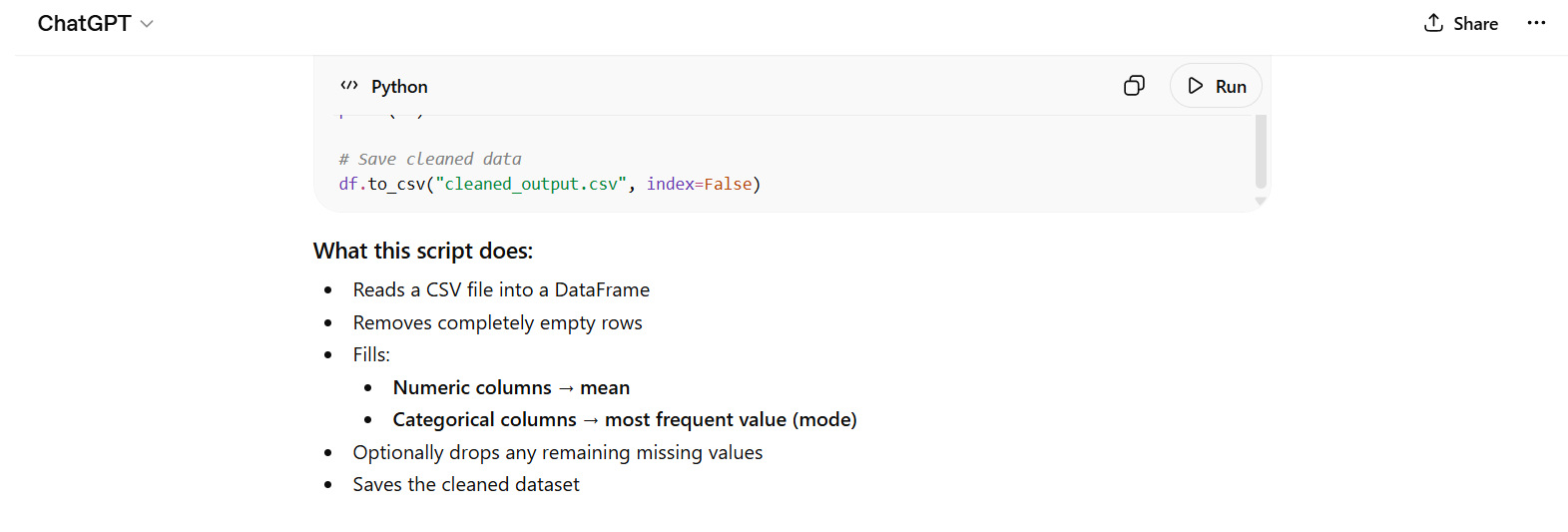
Write a Python script using pandas to read a CSV file and clean missing values.
Output:
File Handling
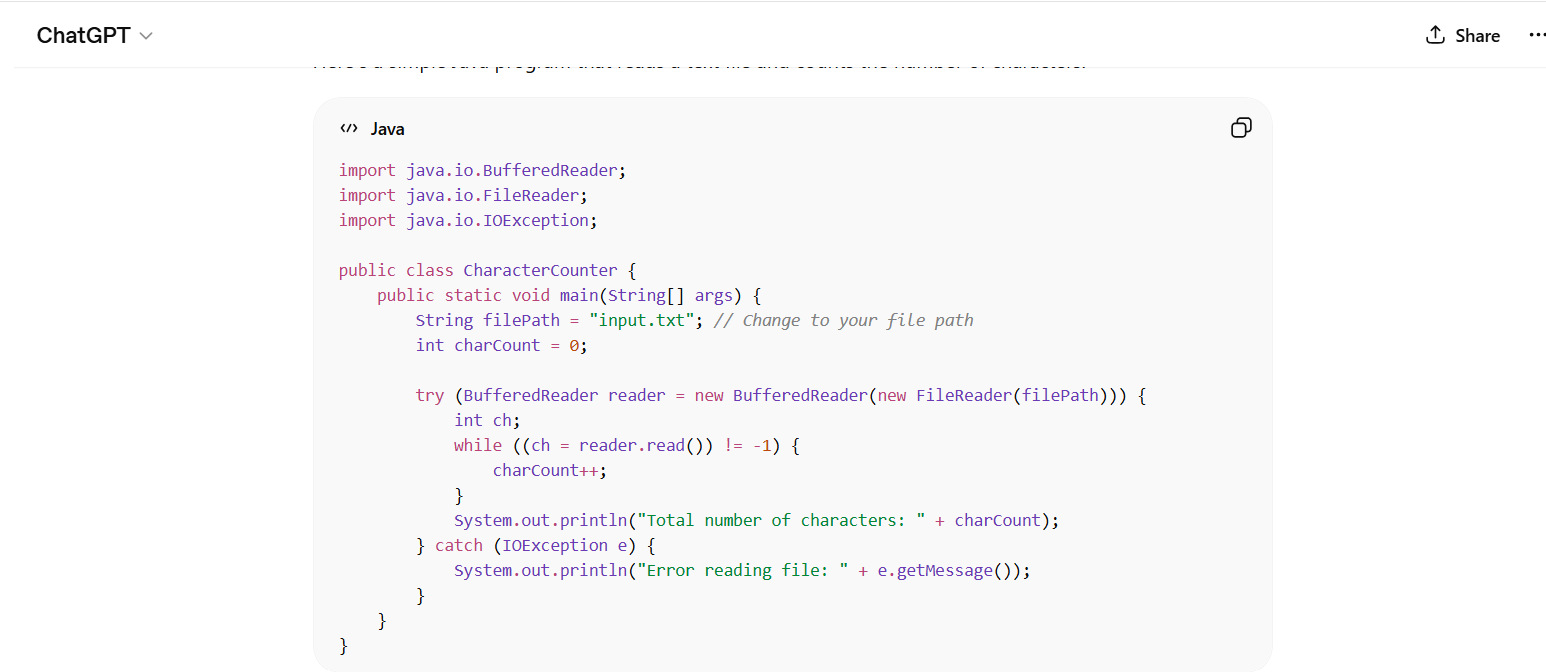
Create a Java program that reads a text file and counts the number of characters
Output:
Read: Code Generation: From Traditional Tools to AI Assistants.
Advanced ChatGPT Prompts for Complex Systems
Apart from the prompt examples above, ChatGPT can handle more advanced prompts for experienced developers, such as full-stack features, system design, or even microservices.
An example of each is given below:
Full-Stack Feature
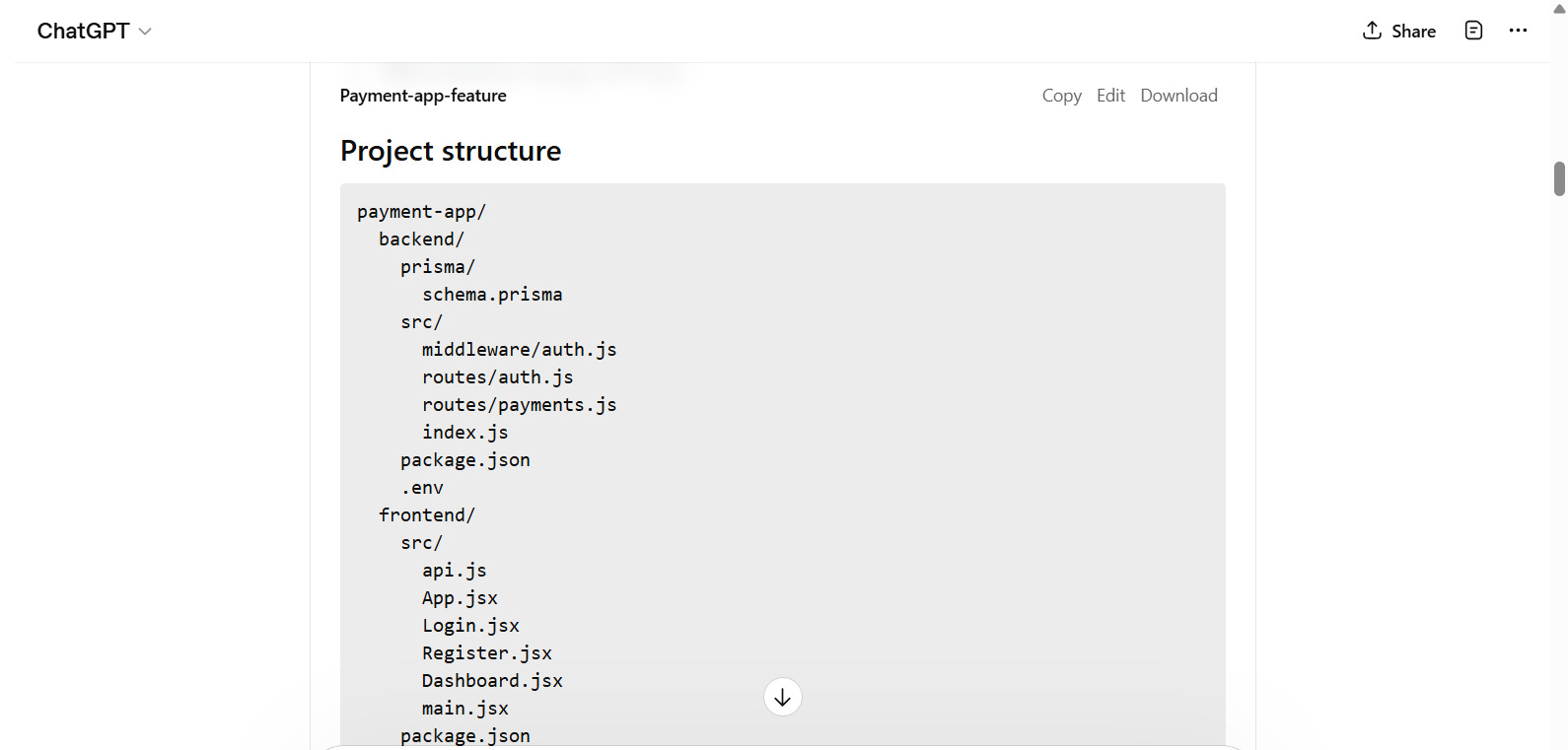
Create a full-stack feature for a payment app using React on the frontend and Node.js on the backend. Include authentication and database storage.
ChatGPT generates a detailed project structure and generates code files (backend and frontend) for each function of the payment system. In addition, it also generates “run” instructions, feature descriptions, and next updates. A project structure generated is shown here:
System Design
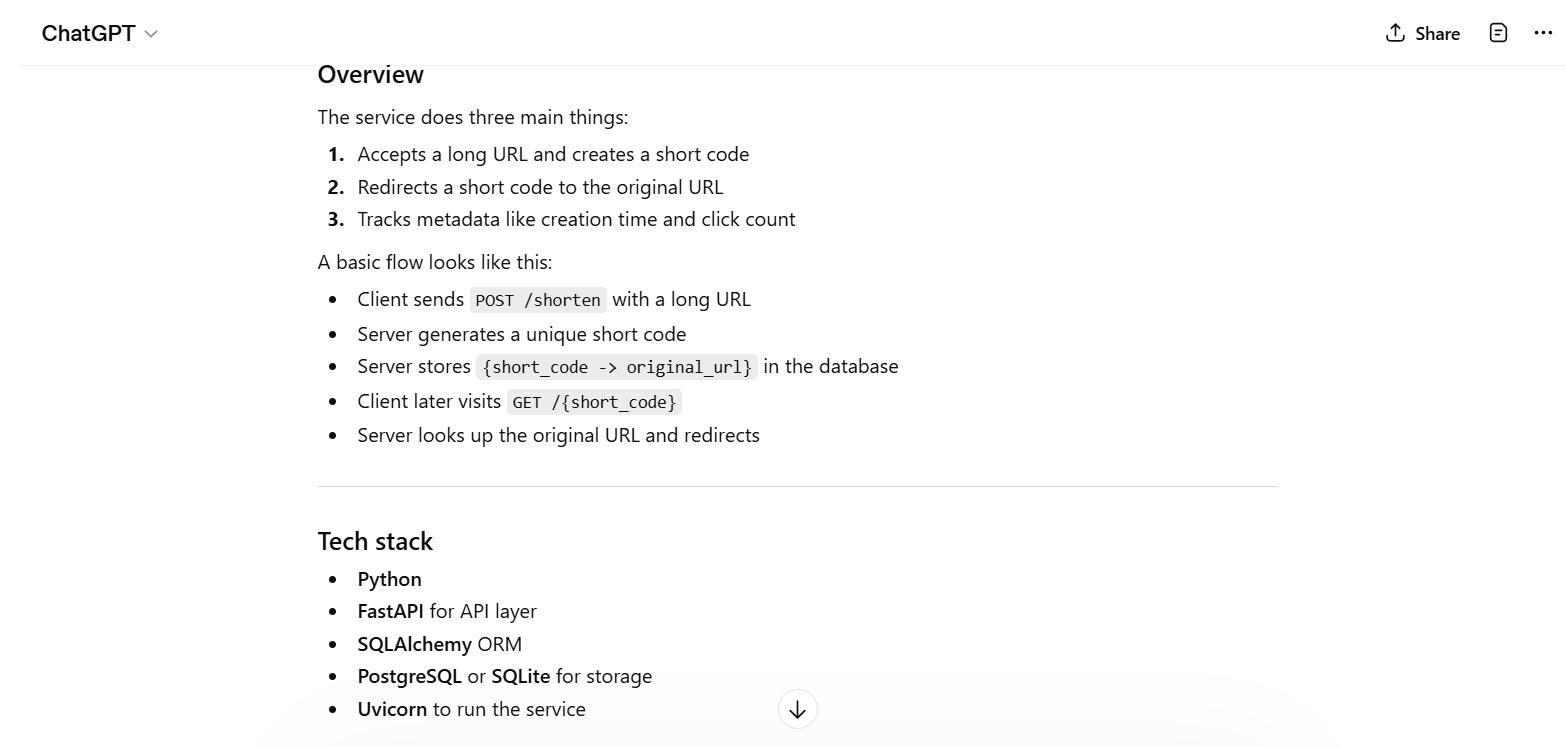
Design and implement a URL shortener service in Python. Provide a database schema and API endpoints for this.
The output generated for the above system design prompt includes a detailed design of the system, including its modules, structure, tech stack, database schema, and API endpoints (for CRUD operations), along with code files. An example implementation, install & run procedure, design notes, improvements, and summary are also included in the output. A partial output is shown here:
Microservices
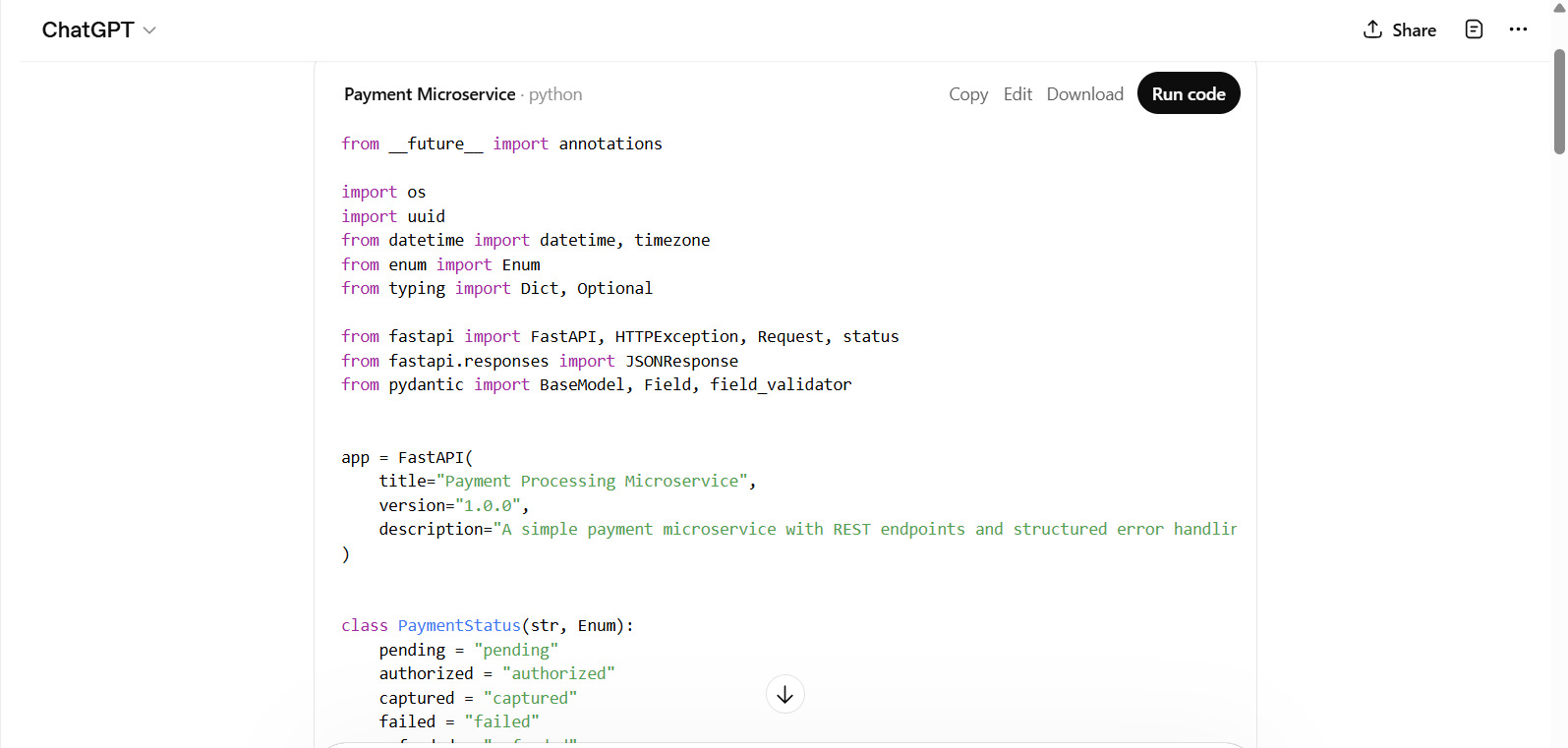
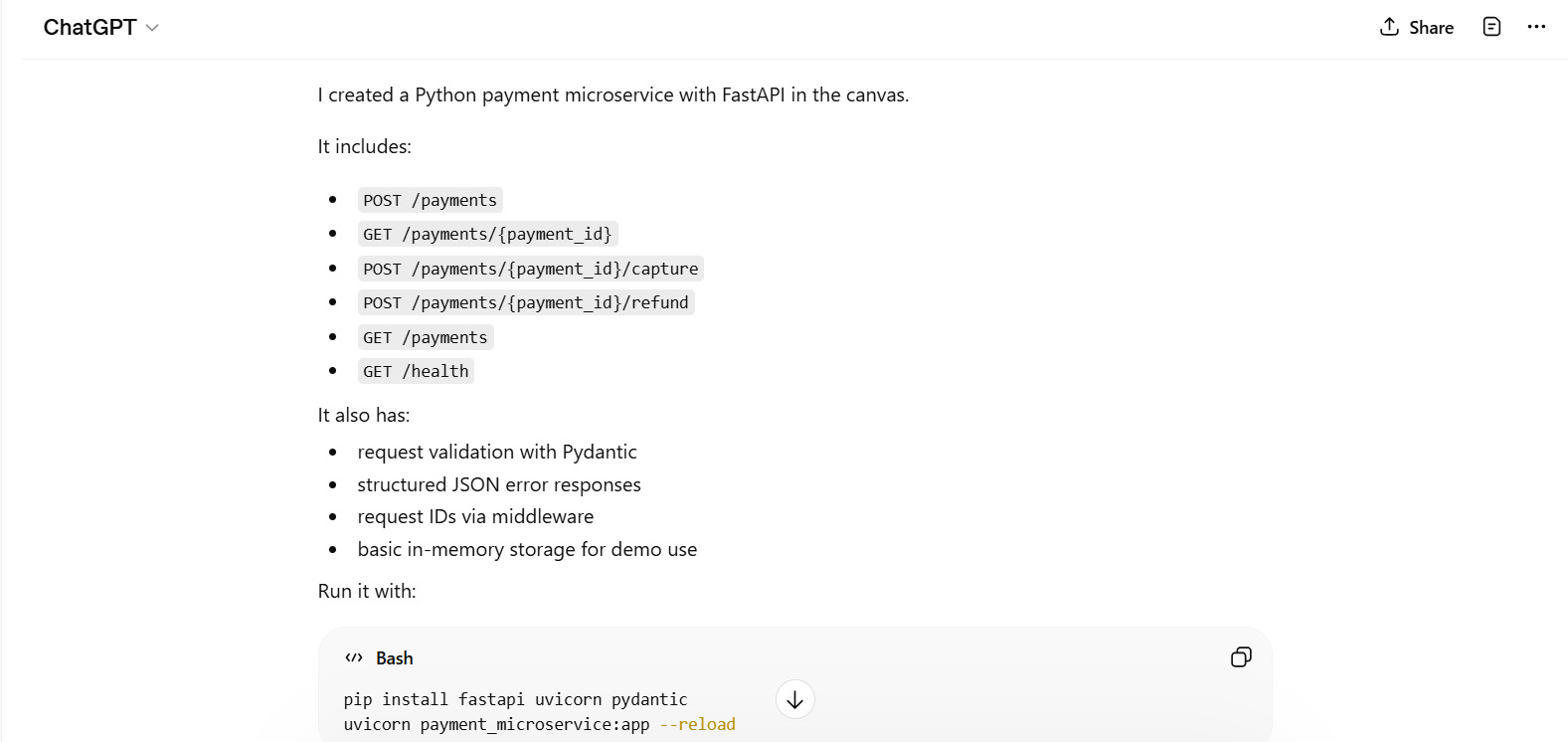
Generate a microservice in Python for processing payments with REST endpoints and error handling
The prompt generates a ready-to-use microservice code along with execution instructions and feature details.
ChatGPT Prompts for Debugging
ChatGPT is an excellent tool for generating, debugging, and troubleshooting code. You can specify prompts for fixing errors, analyzing stack traces, or figuring out performance issues. Here are a few example prompts for generating debug code.
Fix Error
Given this code:

def divide(a, b):
  return a / b
  print(divide(10, 0))

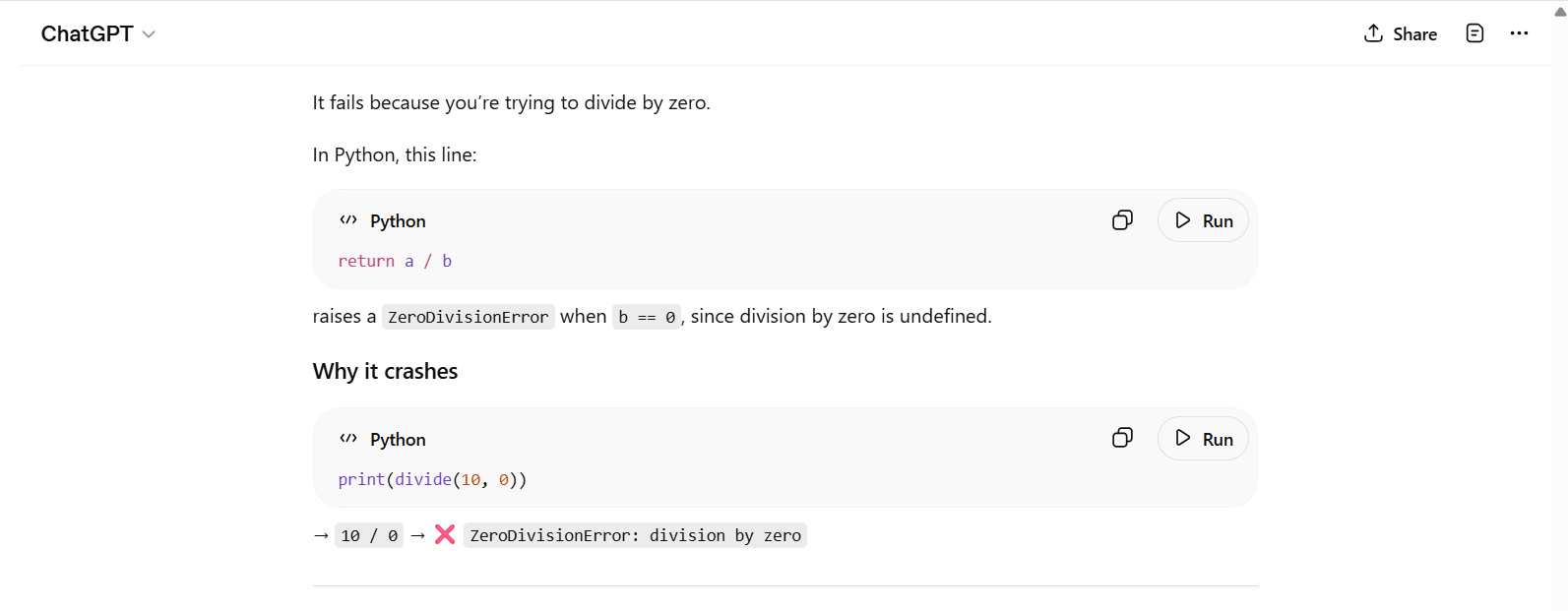
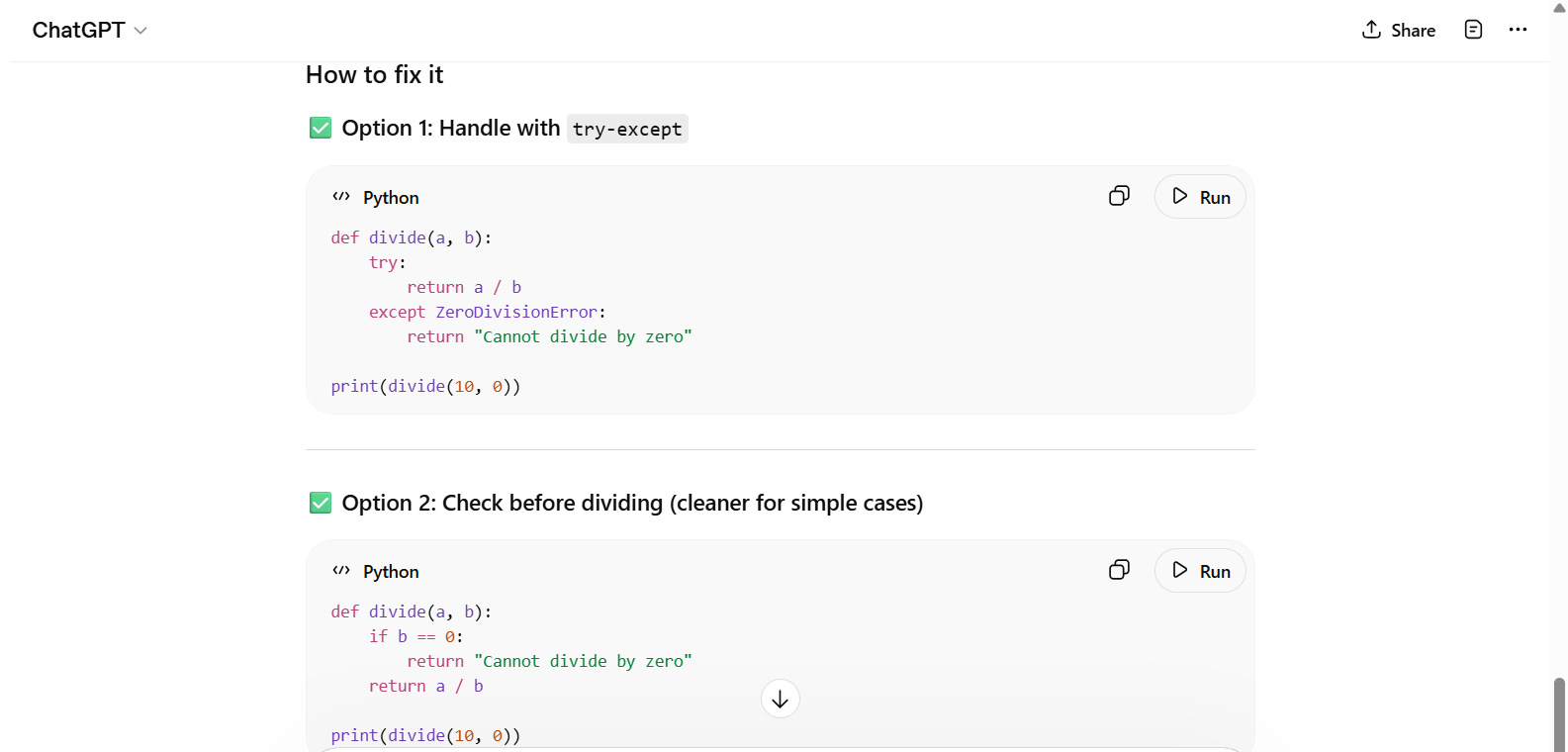
Why does it fail, and how can it be fixed?
Output:
Analyze Stack Trace
Given this error log. Explain the issue and provide a fix: [errorFile]
Performance Issues
This function performs slowly for large inputs. Optimize it: [code]
ChatGPT Prompts for Refactoring and Optimization of Code
Refactoring and optimization are applied to code to improve code quality and readability. You can write ChatGPT prompts to directly refactor the code by pasting the code in the prompt, and ChatGPT will generate a refactored code for you.
Similarly, you can write prompts to optimize code, algorithms, and also convert code to some other language. Here are the examples:
Refactor Code
Refactor this Python code to follow best practices and improve readability: [code]
Refactor the function to improve readability and maintainability. Keep behavior the same and explain each change.
Code: [paste here]
Optimize Algorithm/Code
You can optimize algorithms or code to improve performance and quality. Here are some examples of optimization prompts.
Optimize this sorting algorithm to reduce time complexity.
Profile this code and suggest performance improvements. Point out expensive operations and provide optimized code with complexity notes.: [Code]
Convert Code
Convert this Python code into JavaScript: [code]
Convert the given synchronous code to asynchronous/non-blocking using [Promise/async-await/observable] and explain error handling changes.
Code: [paste here]
ChatGPT Prompts for Testing and Documentation
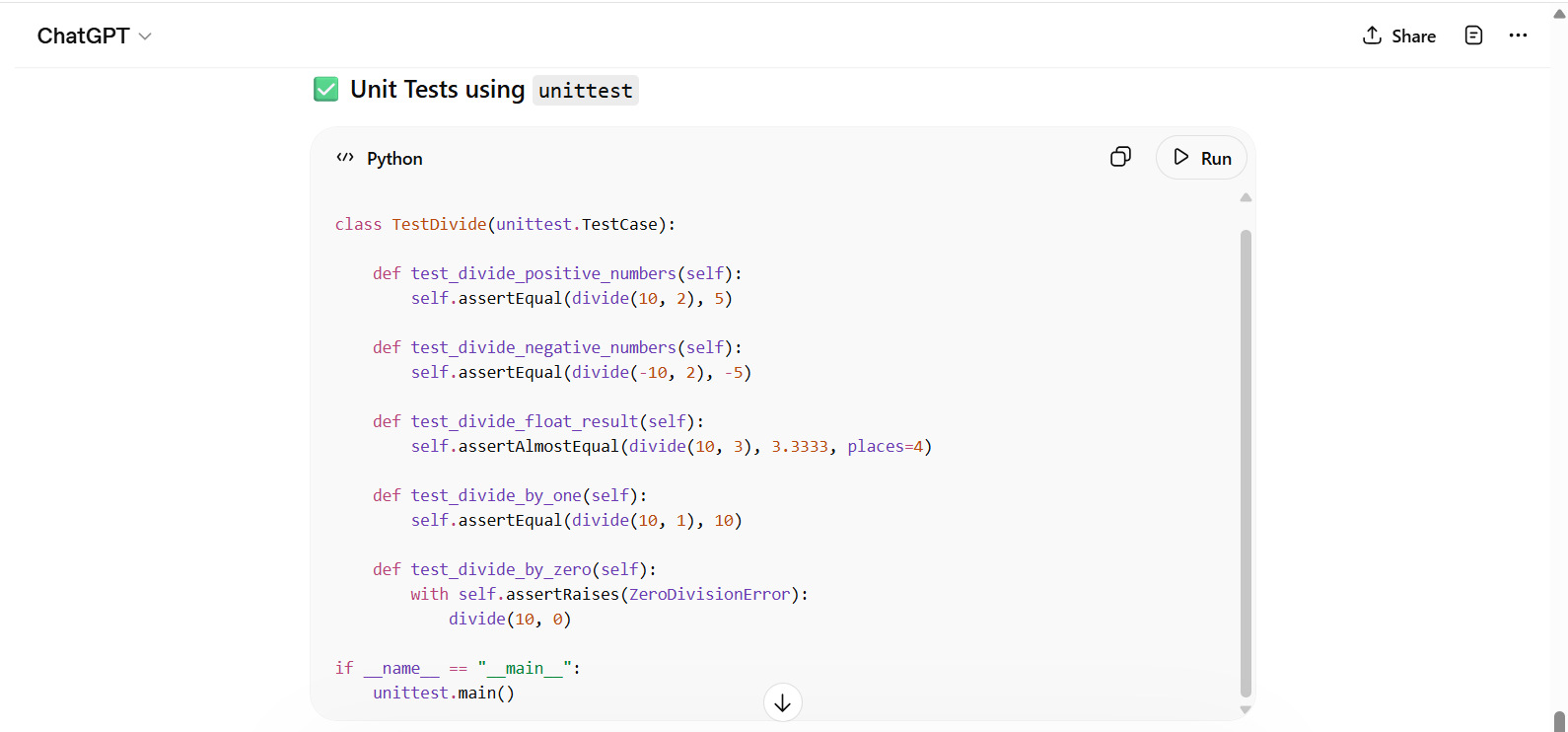
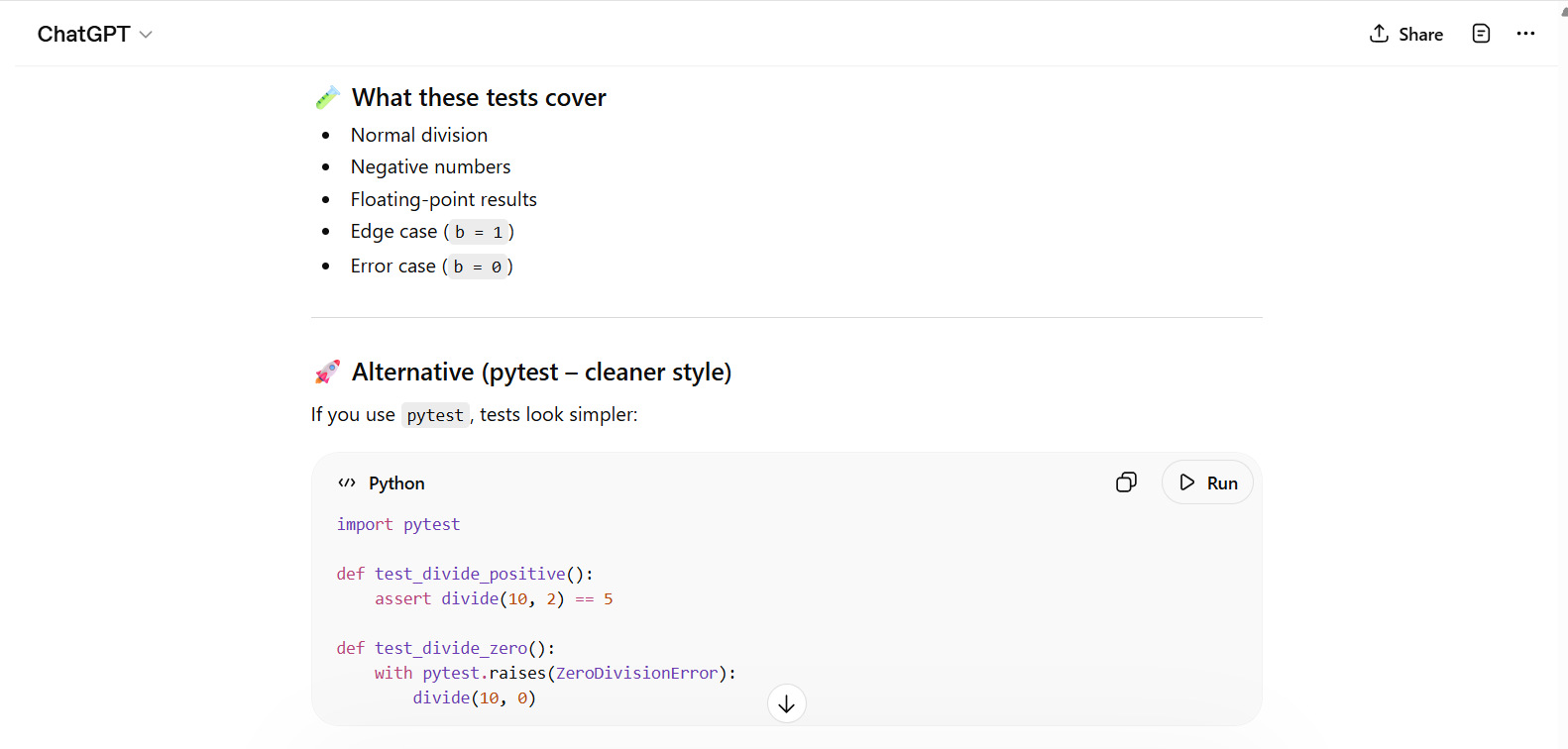
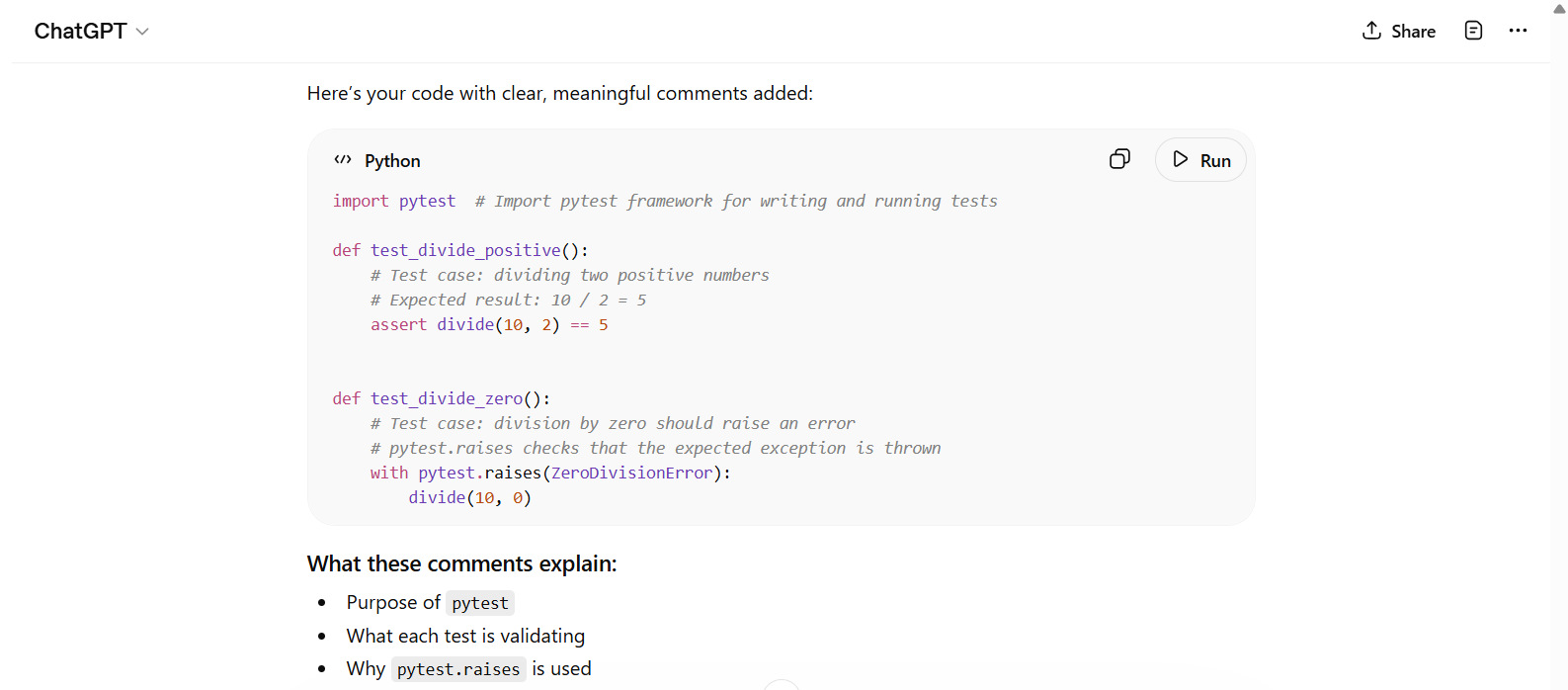
ChatGPT can also generate testing and documentation materials through prompts. You can also generate comments using appropriate prompts. The following prompts show examples of generating unit tests, comments, and documentation.
Read: Logging in Software Engineering: Best Practices.
Unit Tests
Given this code:

def divide(a, b):
  return a / b
  print(divide(10, 3))

Write unit tests for this function.
Output:
Documentation
Generate API documentation for this code: [code]
Comments
Add appropriate comments to this code:

[import pytest
def test_divide_positive():
  assert divide(10, 2) == 5
  def test_divide_zero():
    with pytest.raises(ZeroDivisionError):
    divide(10, 0)]
Output:
ChatGPT for Coding Frontend
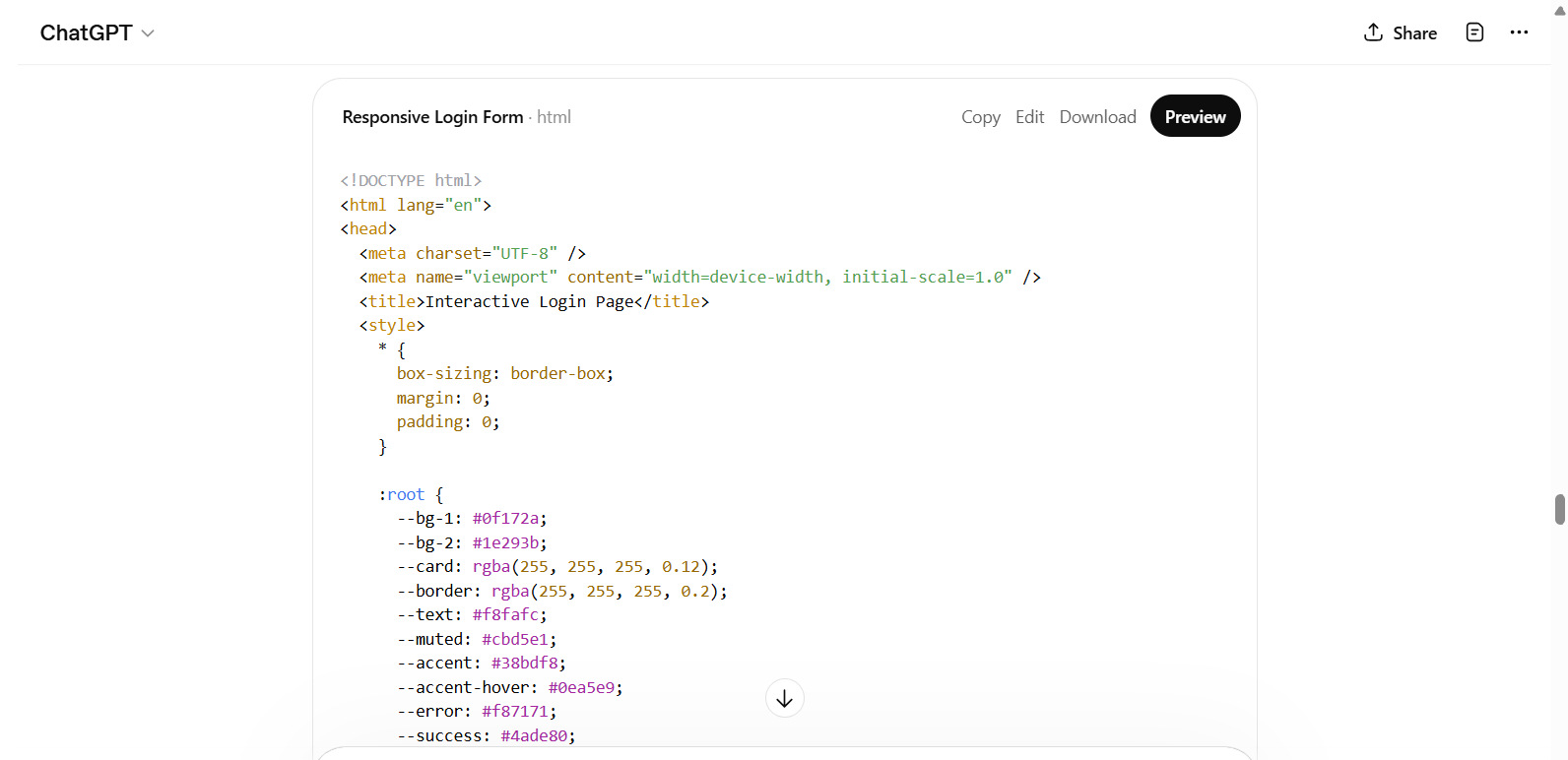
ChatGPT prompts are useful for UI/UX developers. Developers can design components, style pages, and generate most UI/UX related code using prompts. We have given a few examples here:
UI Component
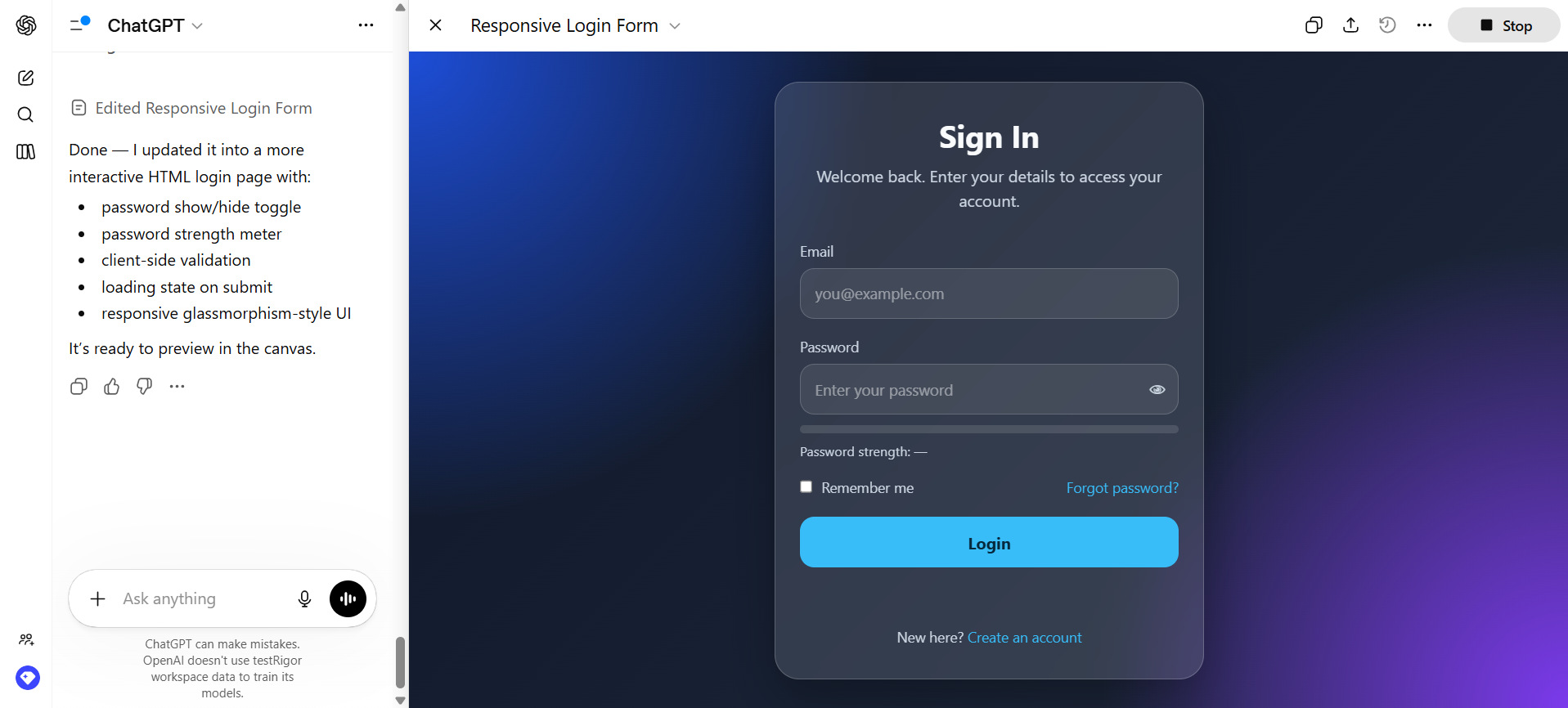
Create an interactive login page using HTML.
Output:
React Component
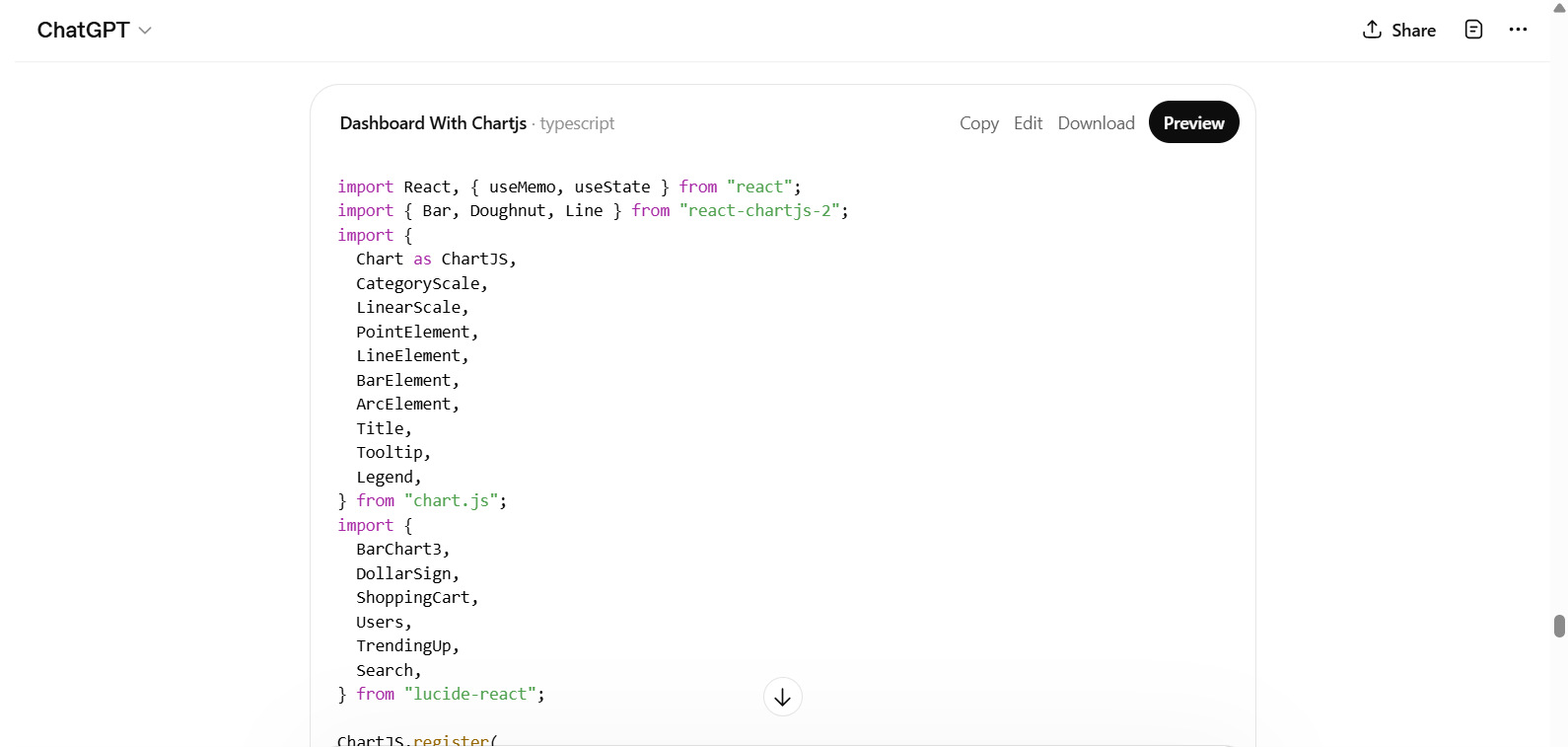
Generate a React component for a dashboard with charts using Chart.js.
Styling
Enhance and improve the UI of this page using modern CSS (Flexbox/Grid): [pagelink]
Database and SQL ChatGPT Prompts
ChatGPT prompts are used to perform database operations as well. The following table suggests a few of the database and SQL prompts.
| Operation | Example Prompt |
|---|---|
| SQL Query | Write a SQL query to find the top 3 highest-paid employees per department |
| Schema Design | Design a database schema for an e-commerce application |
| Query Optimization | Optimize this SQL query for better performance |
Read: SQL Database Concepts: Fundamentals Every Developer Should Know.
ChatGPT Prompts for DevOps and Automation
ChatGPT prompts can be used to generate scripts, configuration files, and deployment strategies, thus streamlining DevOps workflows. Your prompts should focus on specific tasks and expected outcomes for effective DevOps automation.
Some examples of DevOps and automation prompts are given below:
Docker Setup
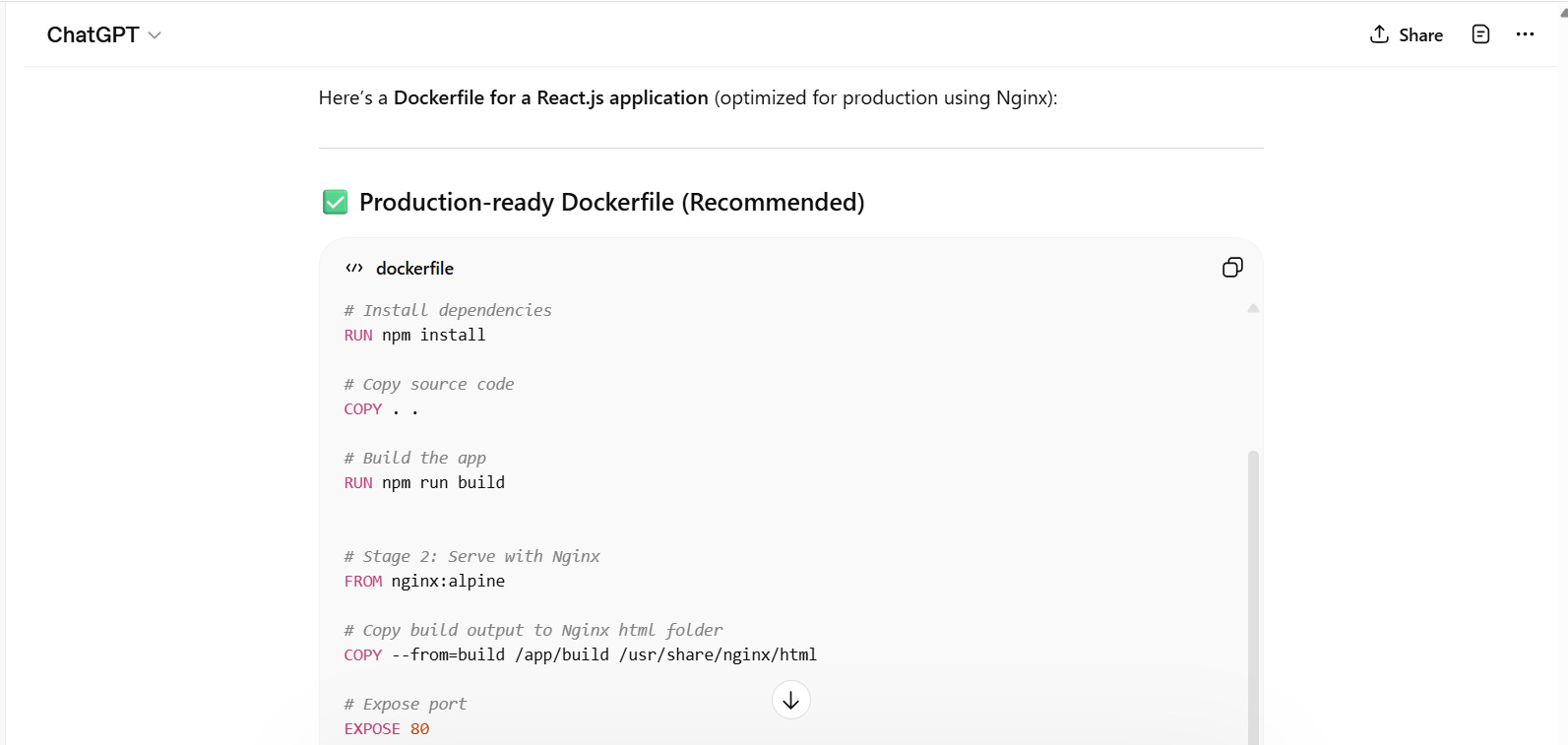
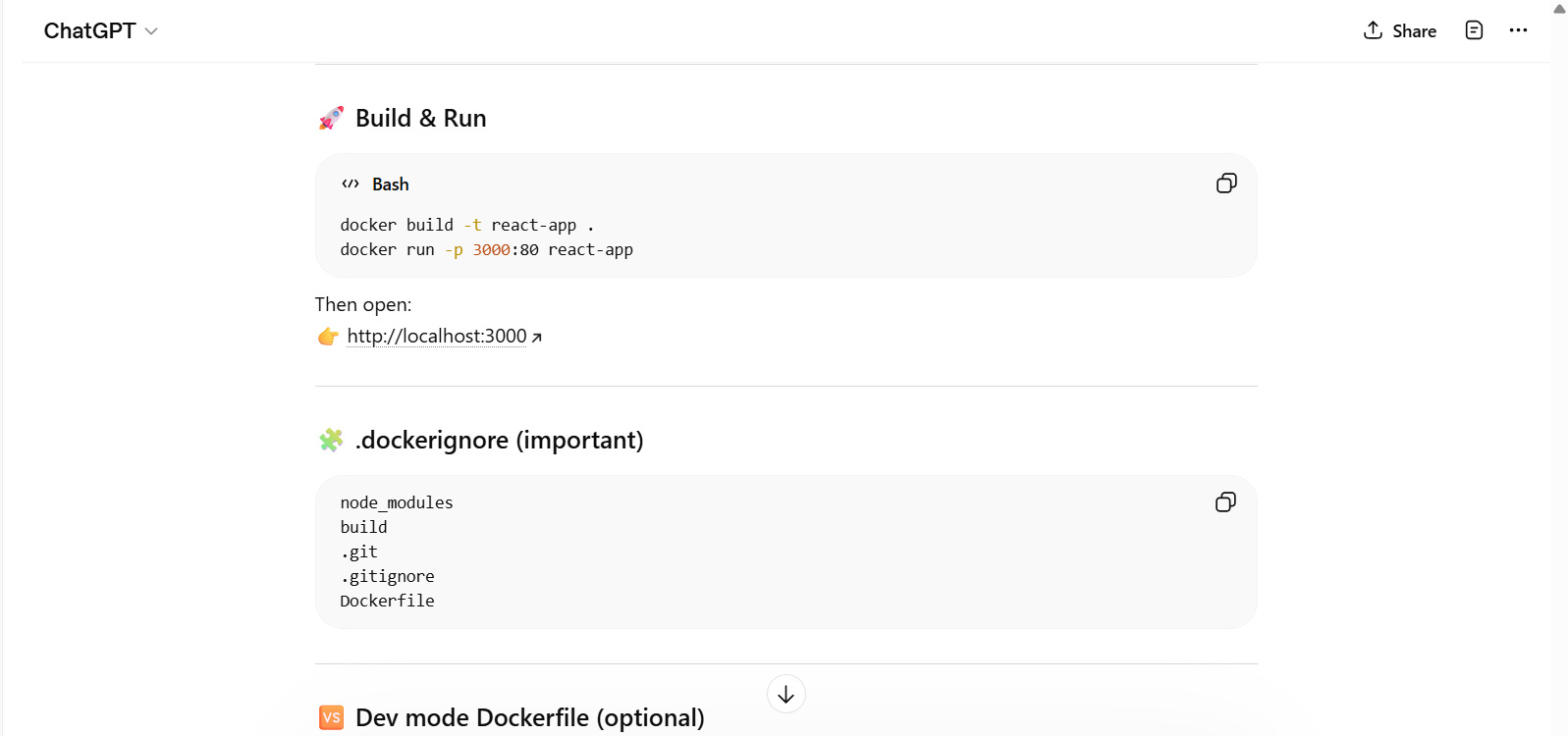
Generate a Dockerfile for a React.js application.
Output:
Read: What is Docker?
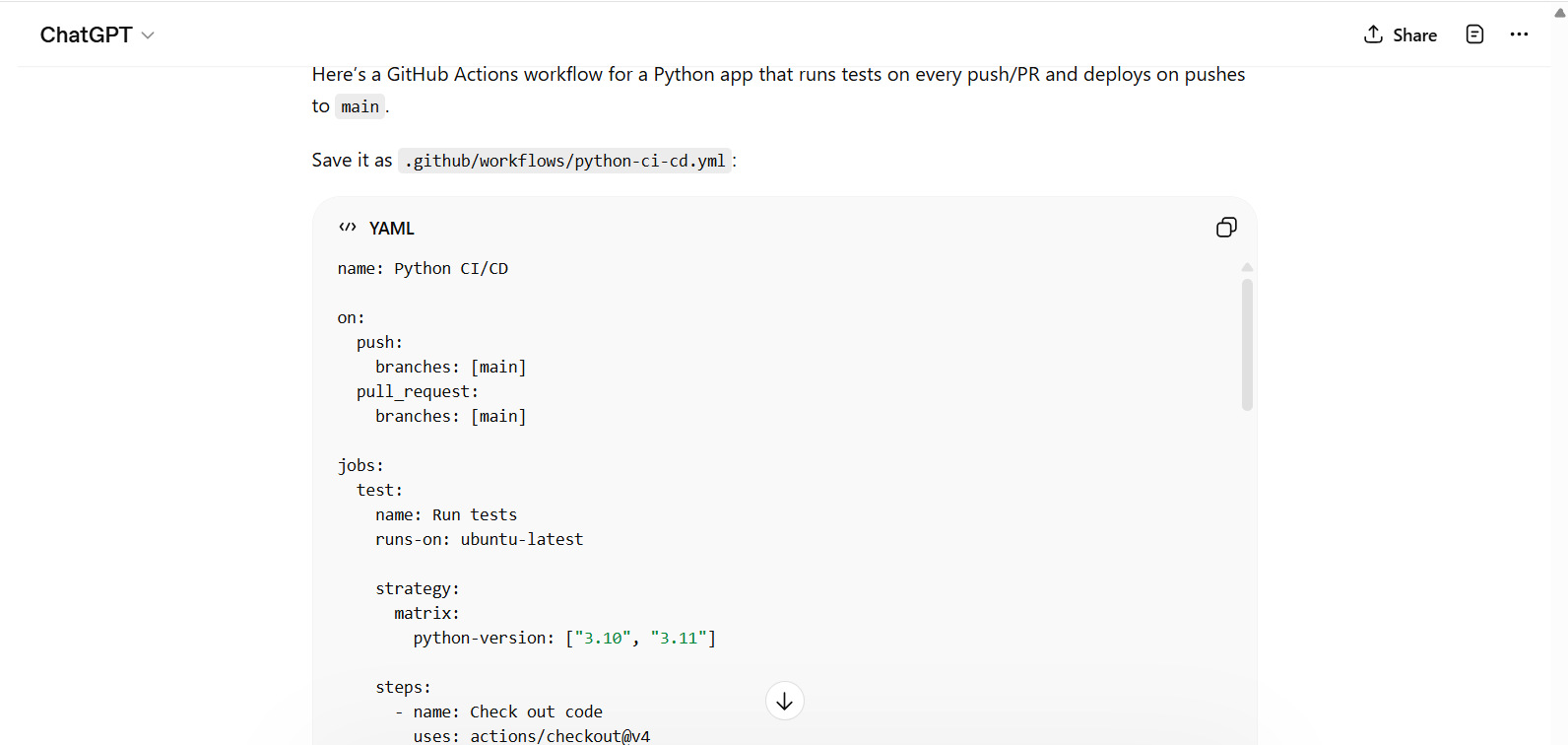
CI/CD Pipeline
Provide a GitHub Actions workflow for testing and deploying a Python app.
Output:
Read: GitLab vs. GitHub: Which Platform Wins for DevOps, CI/CD & Team Workflow.
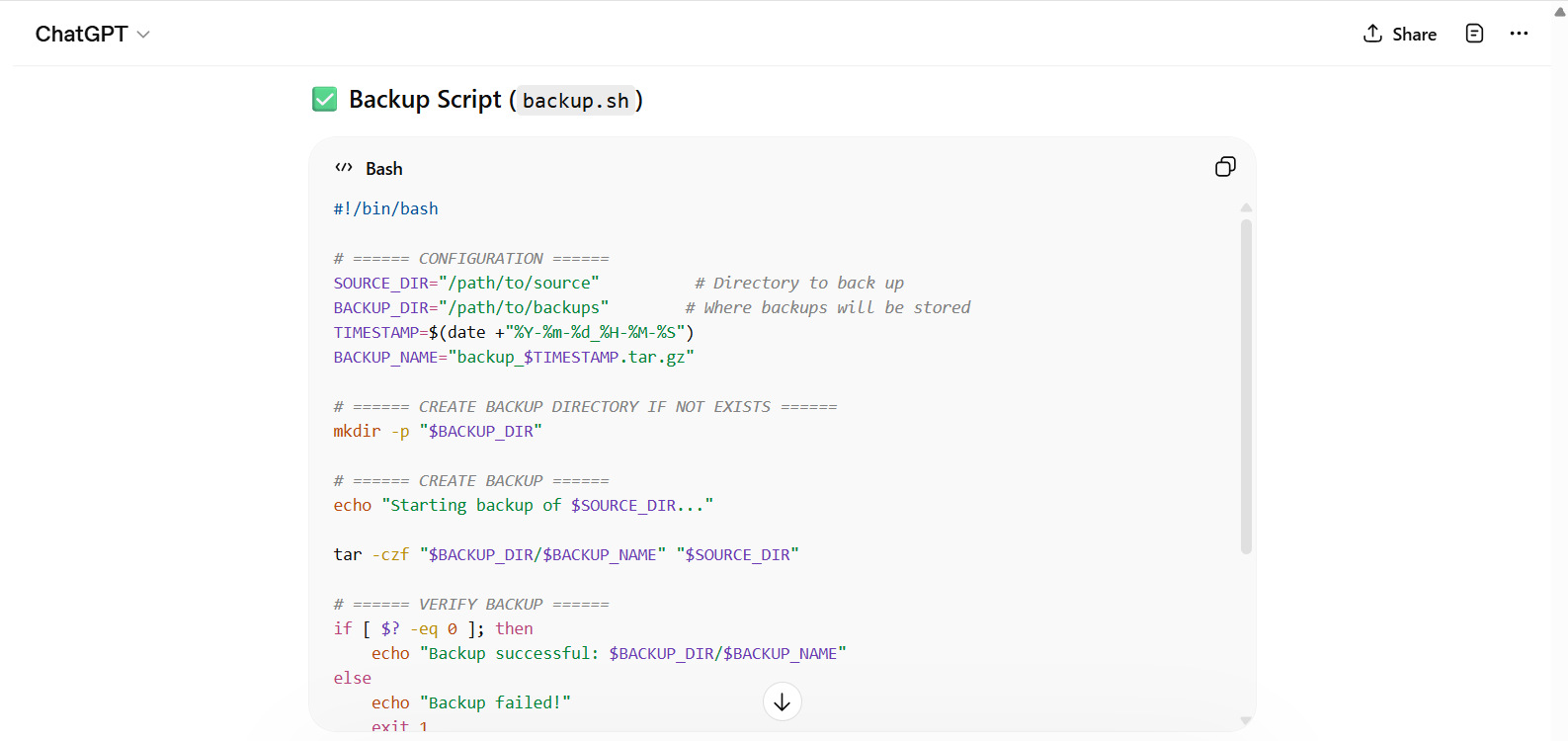
Shell Script
Write a general shell script to automate backups of a directory.
Output:
ChatGPT Workflow Example: Calculator App
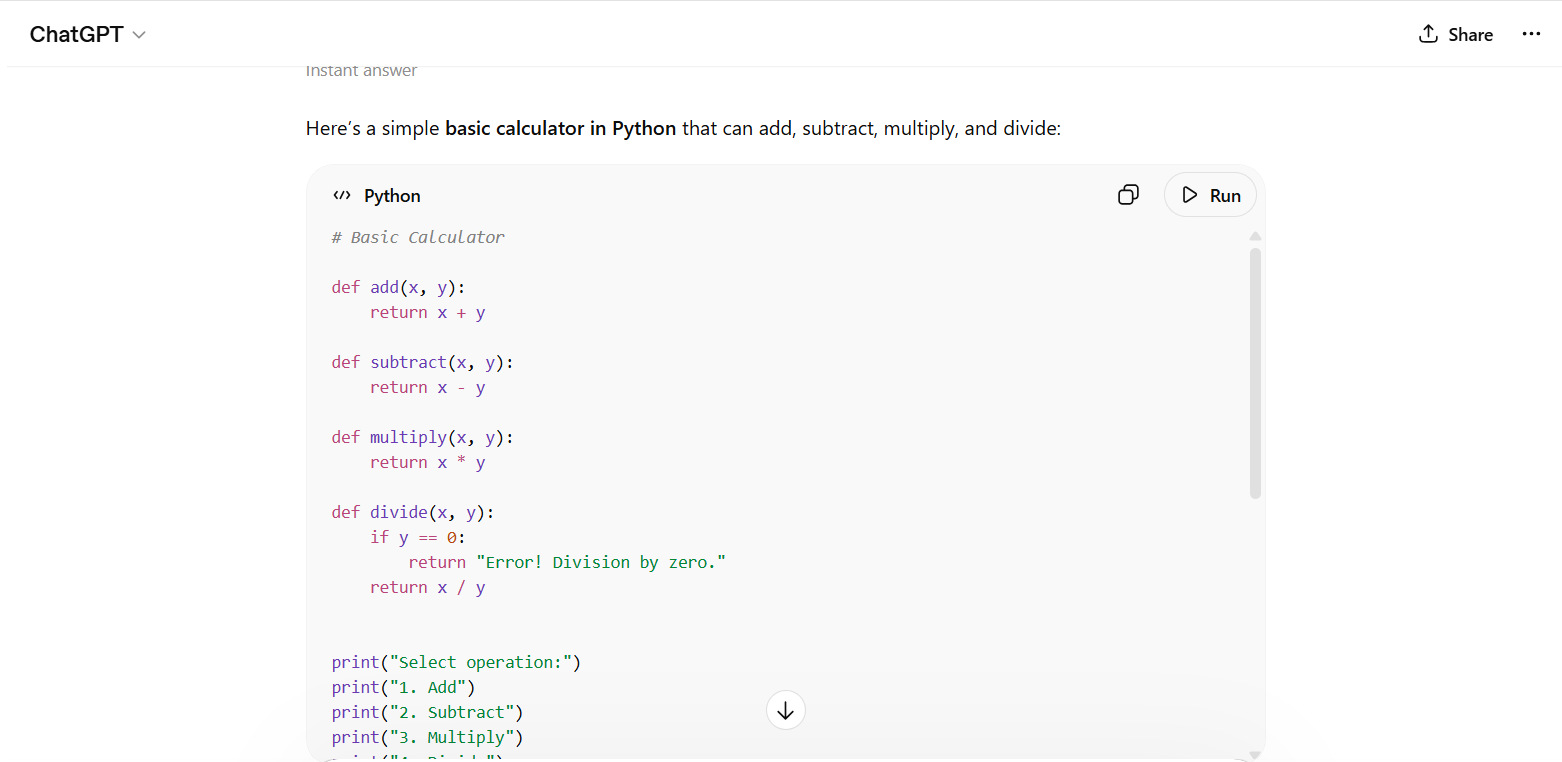
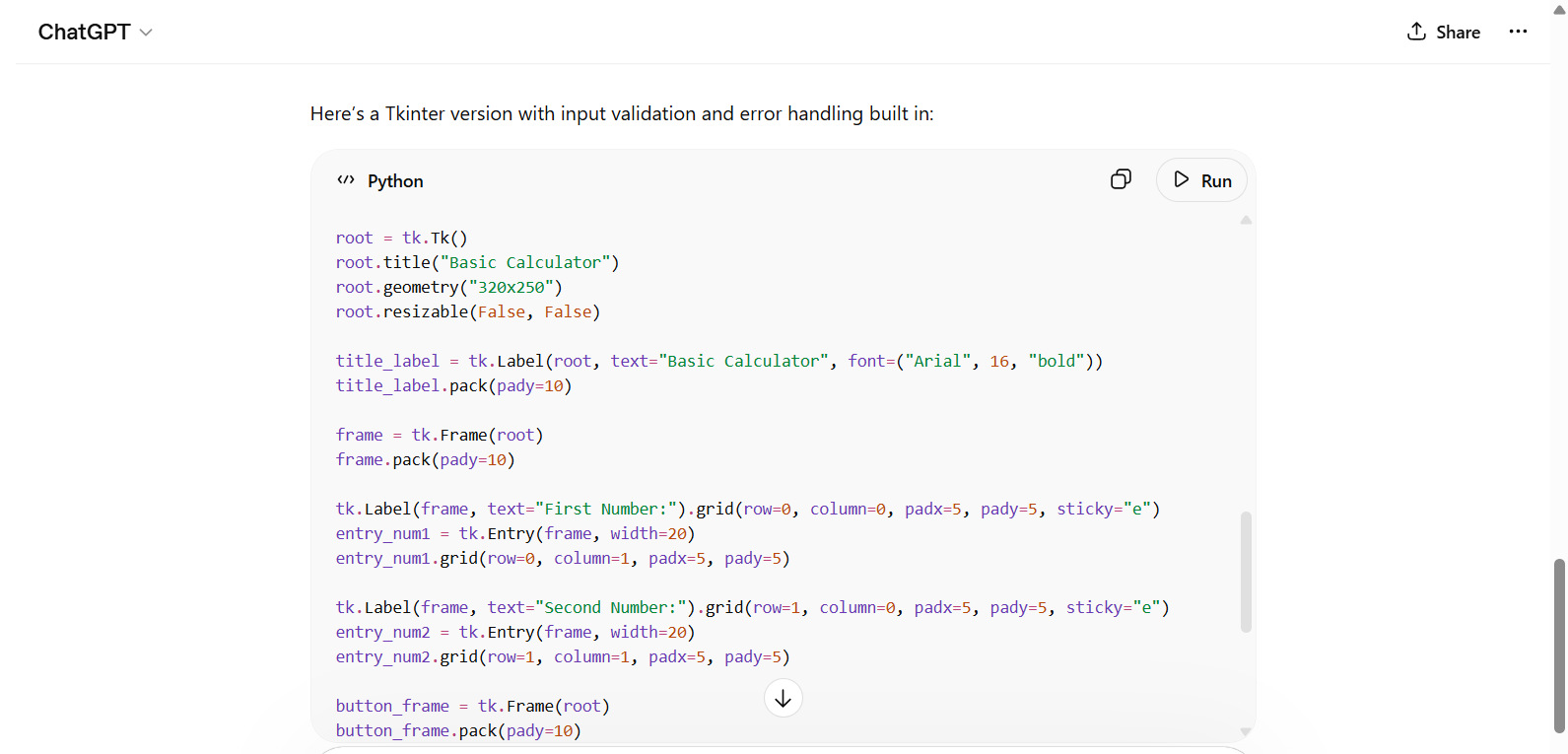
Here’s a real-world example of generating and optimizing a calculator app that demonstrates how developers use ChatGPT. The entire calculator app is ready in four steps, as shown below.
Step 1: Initial Prompt
Prompt:
"Build a basic calculator in Python."
Output:
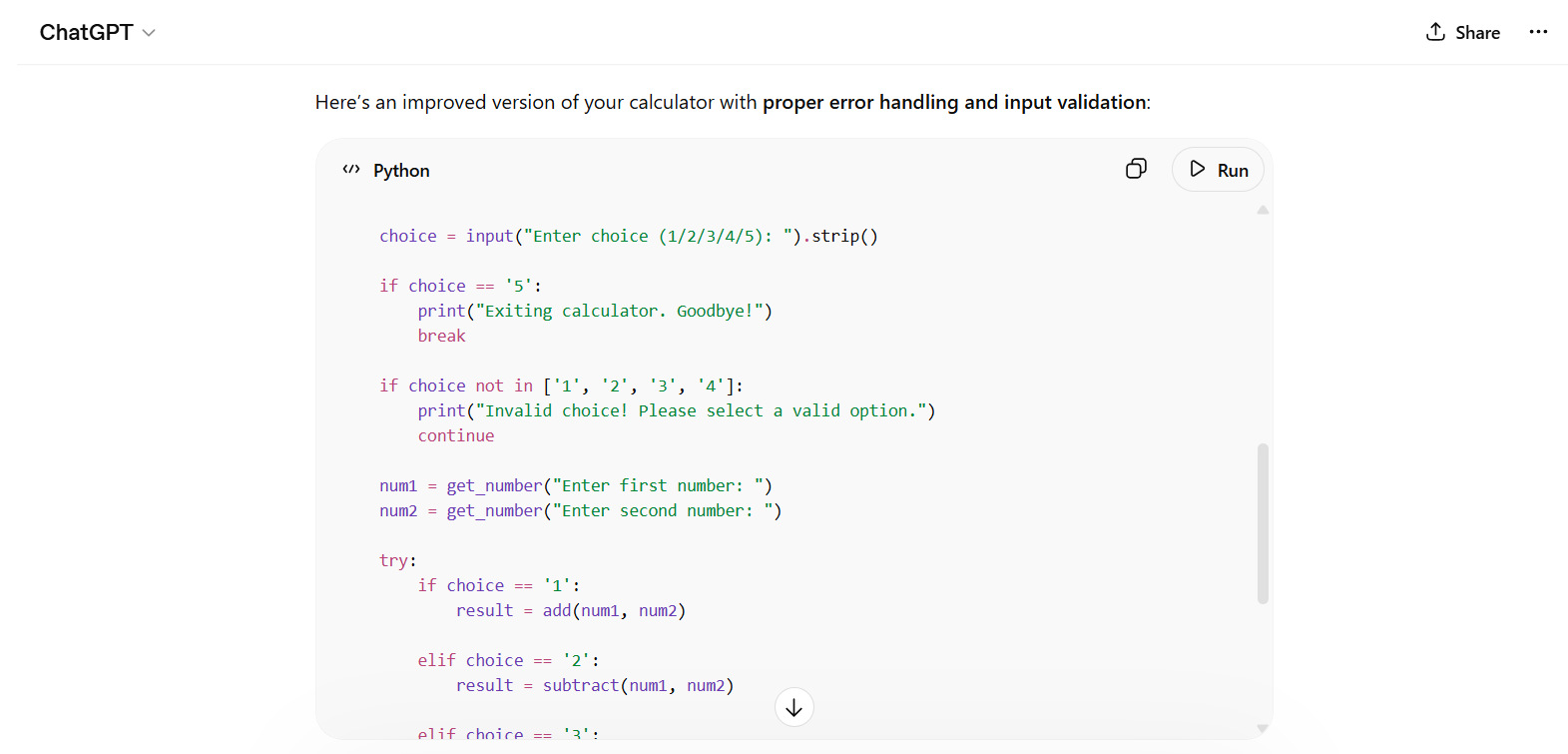
Step 2: Improve
Prompt:
"Add error handling and user input validation."
Output:
Step 3: Extend
Prompt:
"Convert it into a GUI app using Tkinter."
Output:
Step 4: Optimize
Prompt:
"Refactor the code for better structure."
Output:
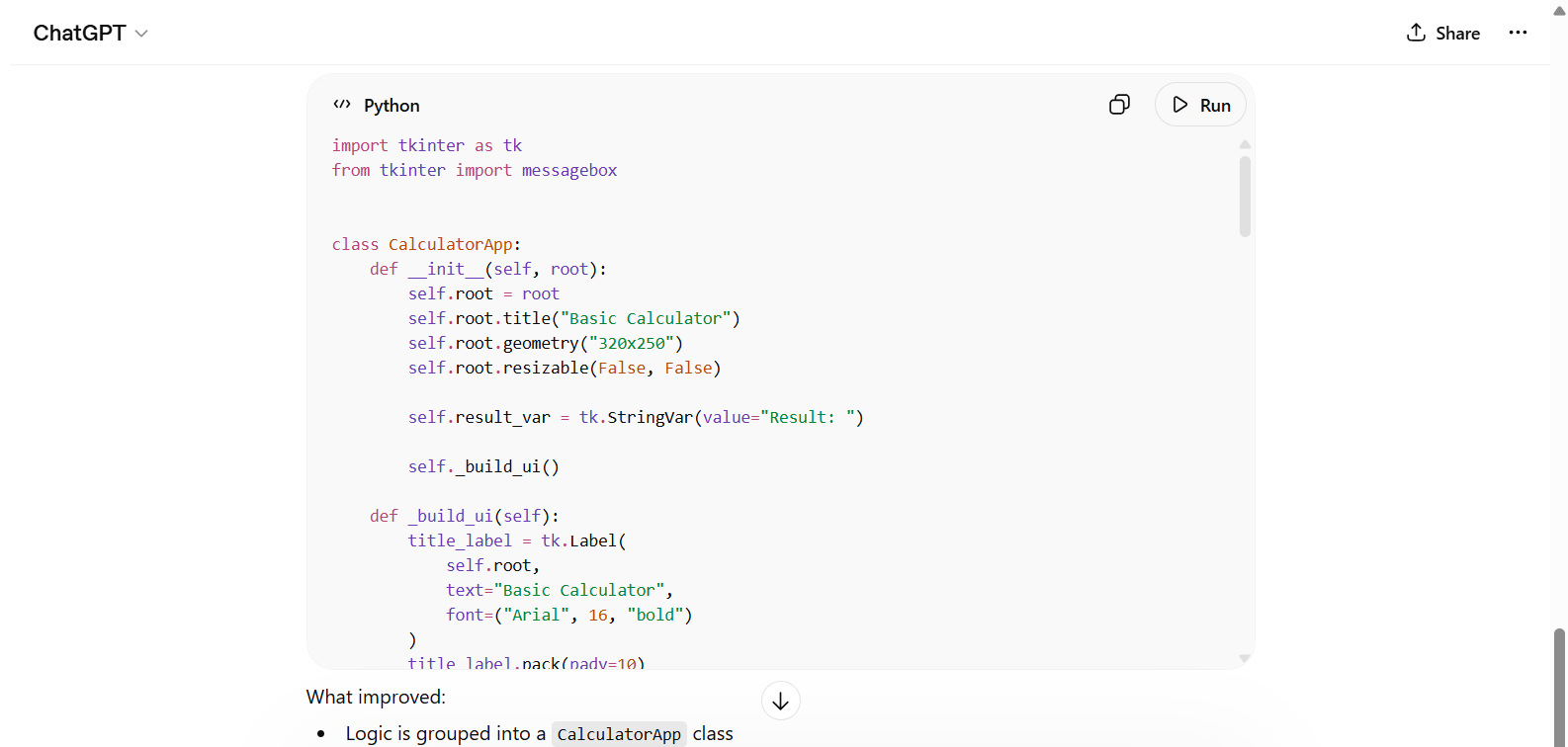
Note: For this workflow to work, the module "tkinter" should be successfully imported in the code.
Conclusion
ChatGPT is a powerful coding assistant (AI chatbot) that helps you with technical and non-technical tasks. However, its effectiveness is dependent on how well you communicate with it. By using clear, structured, specific, and context-rich prompts, you can unlock its full potential for code generation.
- Write simple scripts
- Build APIs
- Debug errors
- Design systems
Providing the right prompts can dramatically improve your productivity.
You can start experimenting with the examples in this guide, refine your approach, and develop your own prompt style. As you move ahead, you’ll find that ChatGPT becomes not just a tool but a reliable development partner.
Frequently Asked Questions (FAQs)
- Which programming languages does ChatGPT support?
ChatGPT supports many programming languages, including Python, JavaScript, Java, C++, Go, SQL, and more. It can also assist with frameworks and tools.
- Can ChatGPT generate complete applications?
Yes, ChatGPT can generate full applications such as web apps, APIs, and CLI tools. However, for the best results, it’s recommended to break the task into smaller steps and refine the output iteratively.
- Is the code generated by ChatGPT reliable?
ChatGPT generates high-quality code, but it may not always be perfect. You should always review, test, and validate the code before using it in production.
- Can ChatGPT help debug code?
Yes, ChatGPT can analyze your code, identify errors, explain issues, and suggest fixes. You can also provide error messages or logs for better results.
- What are some common mistakes when using ChatGPT for coding?
Common mistakes include:
- Writing vague prompts
- Not specifying the programming language
- Ignoring constraints
- Not reviewing the generated code
 |