
Four Types of Software Maintenance: A Detailed Guide
Software these days needs to be updated and maintained regularly to remain competent in the market. Companies often invest exorbitant sums of money in developing software applications, but they overlook software maintenance. Increasing expenses, frustrated users, and systems that soon become obsolete or unreliable can be a direct result of this neglect. Let’s look at the different types of software maintenance and how you can benefit from each of them.
| Key Takeaways: |
|---|
|
Why Is Software Maintenance Important?
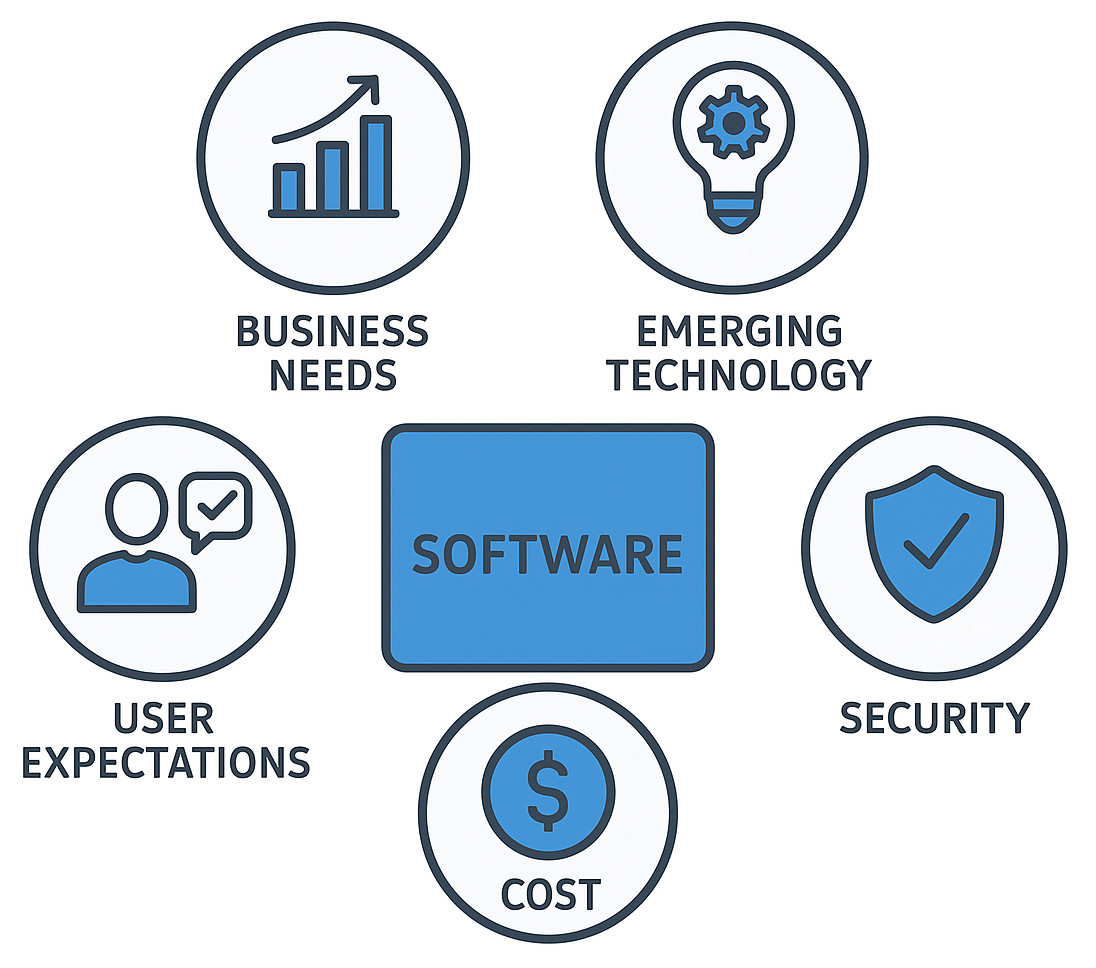
It is important to initiate with a basic question before stepping further into the different forms of software maintenance: Why is software maintenance important?
- Changing Business Needs: Organizations grow, implement new models, and optimize procedures. Applications need to change to reflect these developments. Software can easily become misaligned with business strategy if it isn’t updated on a regular basis.
- Emerging Technologies: The ecosystem of technology is consistently changing. There are always new frameworks, platforms, devices, and cloud services available. Software compatibility with these new environments is ensured by maintenance.
- User Expectations: Today’s consumers demand ease of use, speed, accessibility, and continuous enhancements. Maintenance keeps apps competitive and enhances user experience.
- Security Requirements: Threats to cybersecurity evolve fast. Outdated software vulnerabilities create serious risks. Regular maintenance is essential, especially when it comes to dependencies and security patches.
- Long-Term Cost Reduction: The possibility of catastrophic failures or costly emergency repairs is reduced by proactive maintenance. Preventive measures save organizations money over an extended period, especially in light of the industry’s increasing software maintenance costs.
What Is Software Maintenance?
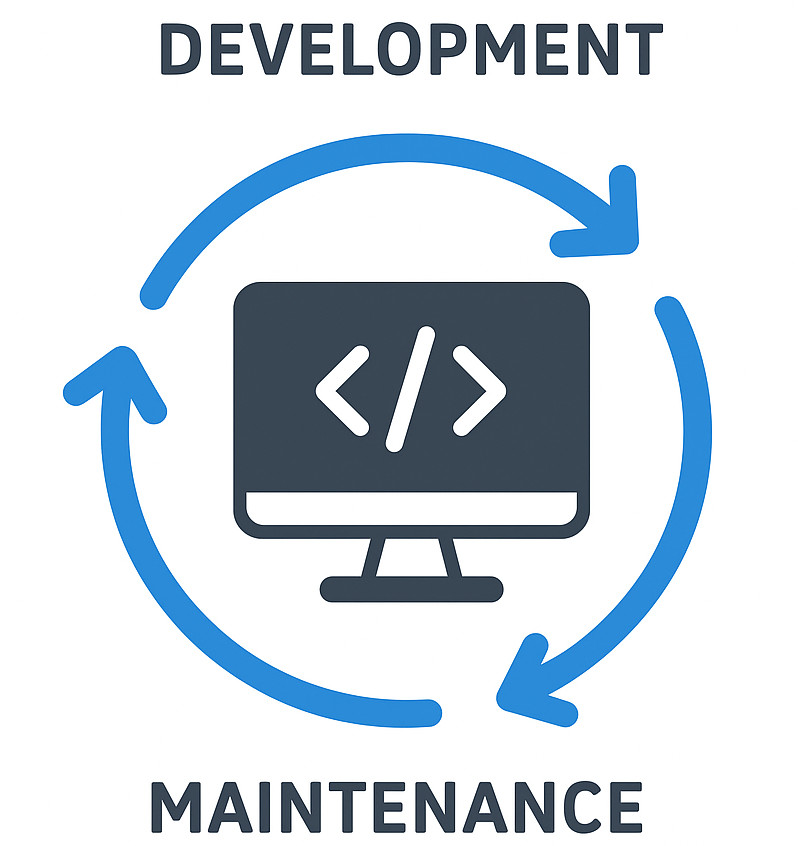
The continuous process of changing, updating, improving, and optimizing a software program after it has been released is called software maintenance. While the term “maintenance” might sound like simple bug fixes, the reality is far more expansive. Maintenance is a formal phase of the Software Development Life Cycle (SDLC) in software engineering. It is responsible for ensuring that software functions well in a changing business and technology environment.
Software does not deteriorate with use like physical hardware does. Instead, if it isn’t updated on a frequent basis, it becomes old, ineffective, or vulnerable. This phenomenon, also often called “software aging”, is one of the main reasons software maintenance in software engineering remains an essential discipline.
Software Maintenance Cost: Understanding the Economics
- Code Quality: Due to regular refactoring and corrective fixes, poor initial development raises long-term costs.
- System Complexity: A system is more cumbersome to maintain the more complex it becomes.
- Technology Stack: Outdated frameworks or rare programming languages escalate costs due to limited expertise.
- Documentation: Systems with in-depth documentation need less maintenance. Poor documentation increases expenses as well as risk.
- Team Skills: By preventing unnecessary work or introducing fewer regressions, experienced teams reduce costs.
- Frequency of Updates: Organizations with frequent maintenance cycles spend less on each update but invest more overall in stability and evolution.
- Neglect and Technical Debt: Overlooking maintenance can lead to short-term cost savings, but long-term costs are substantial, especially when it comes to performance, scalability, and security.
When budgeting for software projects, many organizations underestimate these expenses. More accurate long-term planning is achieved through an understanding of the importance and necessity of maintenance.
Software Maintenance in Software Engineering
- Ensure long-term usability.
- Maintain the quality of the system.
- Make it easier to maintain.
- Offer support for new features and functionalities.
- Improve productivity and effectiveness.
- Reduce the risk of security.
- Increase the software’s lifetime.
The post-deployment plan usually includes software maintenance tasks that are controlled by performance metrics, maintenance strategies, and service-level agreements (SLAs).
Organizations can efficiently plan resources, schedules, and staffing and avoid technical debt by treating software application maintenance as a structured and formal engineering practice.
Different Types of Software Maintenance: How They Work Together
It is important to first understand the four types of software maintenance, but it is even more beneficial to monitor how they work together.
Corrective vs Preventive
- Corrective fixes current problems.
- Prevention avoids future/potential problems.
The need for expensive corrective measures is reduced by investing in preventive work.
Perfective vs Adaptive
- Perfective adds value and improves usability.
- Adaptive ensures compatibility and longevity.
One encourages growth by improving capabilities, while the other does so by staying relevant.
Holistic Maintenance Strategy
All four types must be balanced for software maintenance to be efficient. The system can deteriorate or lag behind technologically if it focuses too much on one area (e.g., only resolving bugs).
The Four Types of Software Maintenance
Let us now look at the four categories of software maintenance, which form the core of this blog. These classifications: corrective, adaptive, perfective, and preventive, are commonly utilized in industry practice and software engineering frameworks.
Each type serves a different purpose and contributes uniquely to the relevance and functionality of software.
Corrective Maintenance
- Logic or algorithms
- Code structure
- UI/UX
- Data handling
- Compatibility
- Configuration
Examples of Corrective Software Maintenance
- Resolving a crash due to invalid input.
- Fixing a broken link or UI element.
- Patch updates for a malfunctioning feature.
- Correcting database retrieval errors.
Reactive in nature, corrective maintenance is executed in response to malfunctions or bug reports. This type is among the most common since problems are unavoidable even in well-designed applications.
Why Corrective Maintenance Matters
- Improves reliability.
- Enhances usability.
- Maintains user trust.
Even though corrective maintenance may seem simple, wrong execution can cause new issues. Due to this, companies need to record problems in detail, identify their underlying causes, and follow a structured release cycle.
Adaptive Maintenance
Software is kept functional in a changing environment due to adaptive maintenance. Technical ecosystems modify as hardware changes, operating systems update, browsers adapt to new standards, and APIs get deprecated.
- Operating system upgrades.
- Hardware replacements.
- Cloud migrations.
- Third-party software updates.
- Changing legal or regulatory requirements.
- New organizational processes or integration needs.
Examples of Adaptive Software Maintenance
- Updating an app to support a new version of iOS or Android.
- Shifting from on-premises servers to cloud infrastructure.
- Replacing deprecated APIs or libraries.
- Adapting to GDPR, CCPA, or other compliance requirements.
- Adaptive maintenance is not only about resolving issues. Instead, it guarantees the system continues functioning smoothly despite external changes.
Why Adaptive Maintenance Matters
- Keeps the software compatible and secure.
- Guarantees continued business operations.
- Avoids unexpected downtime.
- Supports modernization and scalability.
In the absence of adaptive maintenance, even well-functioning applications can fail due to incompatibilities or older components.
Perfective Maintenance
The objective of perfective maintenance is to make the software better based on changing requirements, performance insights, or user input. This type focuses on optimization, refinement, and expansion rather than error fixing.
Examples of Perfective Software Maintenance
- Adding new features or modules.
- Enhancing UI/UX based on user feedback.
- Performance improvement.
- Refactoring code for improved maintainability.
- Eliminating or simplifying unnecessary features.
- Enhancing accessibility or mobile responsiveness.
Perfective maintenance is closely related to business growth and user satisfaction. As customer requirements evolve, software should evolve too.
Why Perfective Maintenance Matters
- Boosts competitiveness.
- Increases customer satisfaction.
- Keeps the product aligned with business goals.
- Promotes continued user engagement.
Perfective maintenance may be the most prevalent type for users since it often offers new features and enhancements they can directly work with.
Preventive Maintenance
The objective of preventive maintenance is to work with possible issues before they emerge. By improving system stability and long-term maintainability, this type of maintenance enables organizations to avoid future, costly failures.
Examples of Preventive Software Maintenance
- Code refactoring.
- Updating outdated libraries.
- Optimizing documentation.
- Improving database queries.
- Removing dead code.
- Conducting security audits.
- Running performance tests and load simulations.
Preventive maintenance is proactive, decreasing risks by strengthening the system’s foundation and improving code quality.
Why Preventive Maintenance Matters
- Reduces technical debt.
- Avoids system downtime.
- Improves long-term efficiency and scalability.
- Reduces maintenance cost over time.
- Increases security posture.
While this type of maintenance is often neglected, it may be the most cost-effective in the long term.
Software Maintenance Best Practices
Periodic updates are not enough for efficient software maintenance. It requires constant cooperation, disciplined procedures, and strategic planning. The following best practices will significantly increase system reliability, user satisfaction, and reduce long-term costs. This is regardless of whether you are managing a huge enterprise software application or a small internal tool.
1. Establish a Continuous Maintenance Cycle
Maintenance needs to be continuous rather than reactive. Define regular cycles for audits, reviews, and updates.
- Monthly/quarterly maintenance windows.
- Dependency and library reviews.
- Regular performance and feature evaluations.
Why it matters: A continuous rhythm avoids technical debt and decreases unexpected failures.
2. Strengthen Monitoring and Logging
Monitoring allows early detection of issues; logging offers context for troubleshooting.
- Real-time performance monitoring.
- Error tracking and alerts.
- Resource usage metrics.
- Automated log analysis.
Increases reliability, accelerates issue resolution, and offers insights for future maintenance.
3. Maintain High-Quality Documentation
In-depth documentation decreases long-term software maintenance costs and makes systems simpler to update.
- Architecture and data flow.
- APIs and integrations.
- Deployment procedures.
- Version history and change logs.
- Clear documentation saves time, especially when teams scale or change.
4. Make Security a Priority
Security threats change constantly, making security-focused maintenance critical.
- Patch and dependency updates.
- Vulnerability scanning.
- Penetration testing.
- Reviewing authentication and access controls.
Avoids breaches, protects data, and reduces risk.
5. Automate Testing
Automated tests guarantee stability when changing or scaling software.
- Unit, integration, and regression testing.
- Load and performance testing.
- Automated UI testing (when appropriate).
Identifies regressions early, improves update quality, and speeds deployments.
6. Use Version Control, CI/CD, and DevOps Practices
DevOps tools simplify maintenance and decrease errors.
- Git-based version control.
- Continuous integration pipelines.
- Automated deployments.
- Feature flagging and rollbacks.
These tools make updates faster, safer, and more efficient.
7. Build a Strong User Feedback Loop
User insight fuels efficient perfective maintenance.
- In-app surveys.
- Product analytics.
- Support ticket data.
- Beta testing programs.
Feedback helps prioritize improvements that offer real user value.
8. Invest in Preventive Maintenance
Preventive work eliminates future failures and technical debt.
- Code refactoring.
- Removing obsolete code.
- Dependency updates.
- Regular security and performance reviews.
Avoids bigger problems later and keeps the software adaptable.
9. Use Prioritization Frameworks
Not all maintenance tasks carry equal weight. Use structured models to prioritize work.
- Eisenhower Matrix
- MoSCoW
- RICE scoring
These help teams focus on high-impact tasks first.
10. Audit Technical Debt Regularly
Technical debt grows silently. Frequent audits keep it under control. Audit for outdated libraries, inefficient code, performance bottlenecks, and security vulnerabilities. Regular audits make planning and budgeting maintenance easier.
11. Encourage Cross-Functional Collaboration
Maintenance success relies on communication between developers, QA, DevOps, product teams, and stakeholders.
- Fewer errors.
- Better alignment with business goals.
- Smoother releases.
12. Maintain a Clear Release Strategy
Consistent release and deployment processes ensure smooth updates. Make sure to include predictable release cycles, staging environments, feature flags, and defined rollback procedures. A well-managed release strategy reduces risk and builds user trust.
Conclusion
Truth be spoken, software is never really “done”. It enters its most important stage, “maintenance” after launch. Maintaining applications’ functionality, security, efficiency, and alignment with business goals requires an understanding of the different forms of software maintenance, including corrective, adaptive, perfective, and preventive.
- Reduced long-term costs.
- Improved capacity to adjust to new tech.
- Better security.
- Increased user satisfaction.
The question is not “Why is software maintenance important?” The true question is whether a company can afford to neglect it. In a world where technology is consistently evolving, maintenance ensures that software will continue to offer value today and in the future.
 |