
What Is Pseudo-Code?
Imagine you are enjoying a high-octane robbery film, maybe Ocean’s Eleven, or Money Heist… it does not matter which one. Usually, not long after the movie starts, the cast inevitably gathers near a whiteboard. Drawings appear: lines pointing everywhere, squares lined up, short notes listed below. One person starts speaking, laying out “step one” of the plan. Should things go wrong, plan B is on standby.
That whiteboard plan is not the heist. It is not the getaway vehicle, it’s not the high-end tools, nor the execution. These are all pseudocodes.
In real coding projects, nobody spends time at the whiteboard thinking out strategies. People jump straight into writing code. And that’s when cracks begin showing without a warning.
This blog answers one deceptively simple question: What is pseudocode?
But, more importantly, it tackles the one thing nearly every resource ignores: Why does pseudocode still matter in real projects and not just in theory?
| Key Takeaways: |
|---|
|
What Is Pseudocode?
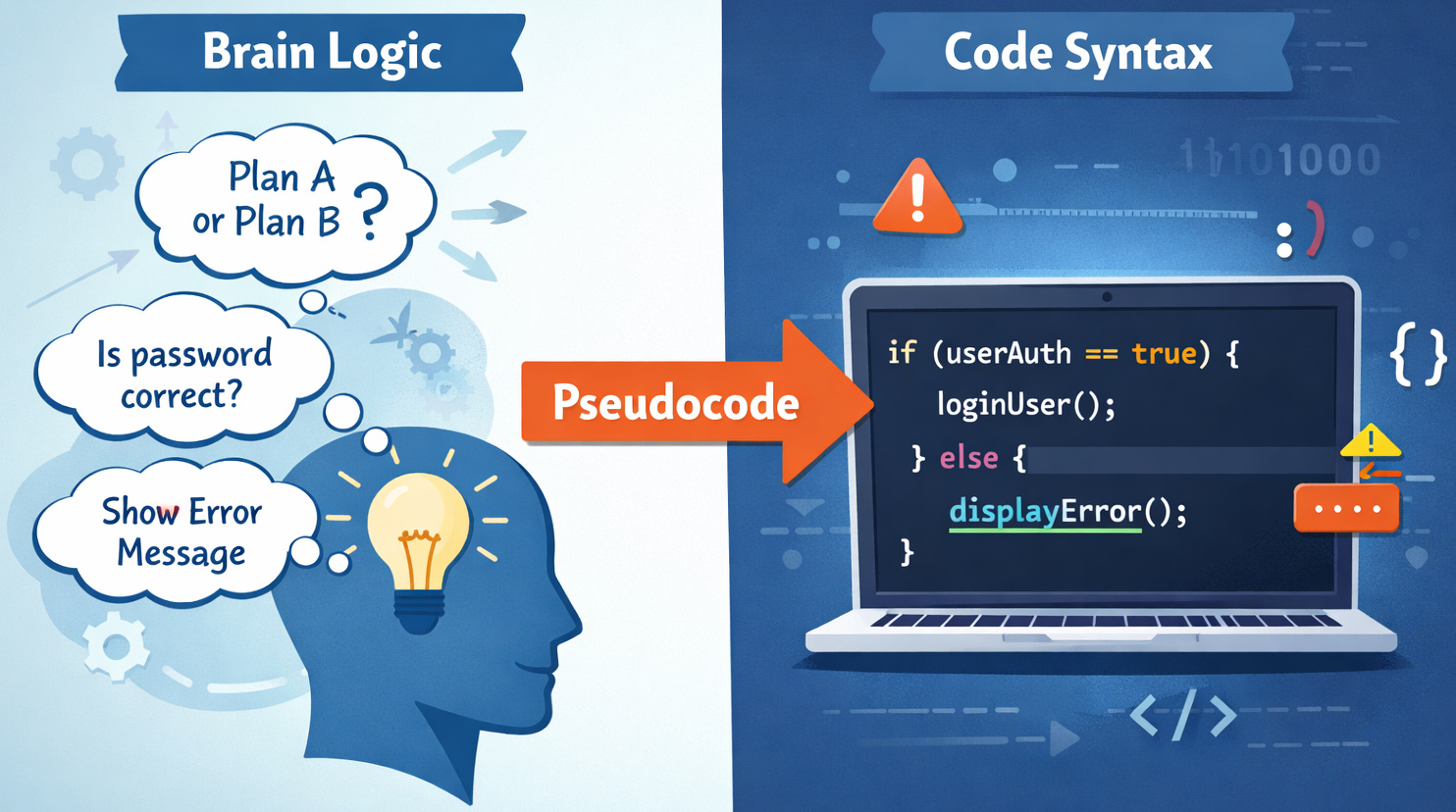
Pseudocode is a way to describe the logic of a program using plain language mixed with programming-style structure. A method unfolds when words simulate logic, close to software flow, yet readable by anyone. Steps form patterns resembling scripts, though no syntax binds them.
It looks like code. It reads like English. But it runs… nowhere.
Pseudocode doesn’t run on computers. It won’t turn into an app. Nobody gets it when software rolls out. Compilers ignore it completely. But clear thinking shows up when you rely on its help. It opens space for better choices since confusion fades away.
At its core:
Pseudocode explains what a program should do, without worrying about how a specific programming language forces you to do it.
That separation is the whole point.
Why Pseudocode Exists
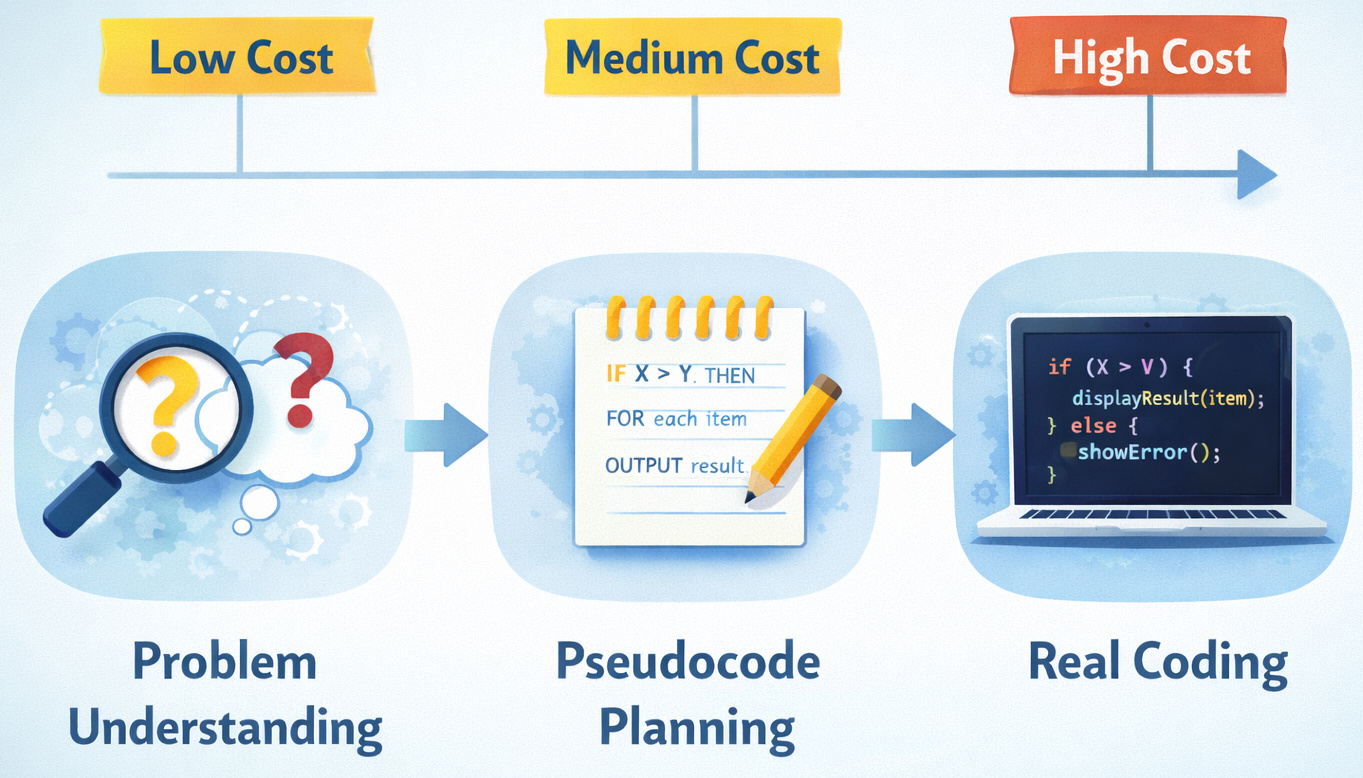
Maybe it seems unnecessary at first glance. In practice, skipping it is where many teams stumble. This is what pseudocode actually fixes:
Human brains don’t think in syntax. They think in steps.
A single typo can break everything. One missing bracket, one misplaced symbol, and nothing works. Yet logic errors slip through. The code compiles without protest, only to produce wrong answers later.
Pseudocode offers a buffer zone.
- You can actually afford to make mistakes without it being expensive
- You can ask dumb questions safely
- Finding a new path does not demand rewriting hundreds of lines
Teams tend to mix up how fast they type versus how quickly they think, so it falls apart once work begins.
What Is Pseudocode Used For?
Pseudocode shows up in more places than people admit, even when nobody names it outright.
1. Planning Algorithms Without Noise
- What are the inputs?
- What decisions are being made?
- What happens when things go wrong?
This might seem fine in theory. Yet in projects, teams usually bypass it, opting to solve problems directly in code instead. It holds up until suddenly it does not.
2. Communicating Ideas Across Skill Levels
Non-developers can read pseudocode. Even those new to coding get how it works. Of course, experienced coders might pick it apart. That overlap is necessary and powerful.
It’s easy to underestimate just how much clarity slips away once logic hides behind complex syntax.
3. Catching Logic Bugs Early
A bug caught in pseudocode costs minutes. But a single bug found post-launch chips away at trust. Truth lives in what’s lived. Not in how loud you say it.
Pseudocode in Programming vs Real Code
Let’s make the difference painfully clear.
Example: Checking Login Access
Pseudocode Example
IF user enters correct username AND password
    ALLOW access
ELSE
    SHOW error message
Actual Code (Language-Specific)
if username == stored_username and password == stored_password:
    login_user()
else:
    show_error()
- Syntax rules
- Language quirks
- Library knowledge
- The decision
- The flow
- The intent
That’s the value.
Is Pseudocode a Programming Language?
Short answer: No.
Pseudocode is not meant to simulate code; it stays clear of syntax rules and programming languages on purpose. Code talks to computers, not people.
Here’s a quick comparison.
Pseudocode vs Programming Languages
| Feature | Pseudocode | Programming Language |
|---|---|---|
| Executable | ❌ No | ✅ Yes |
| Syntax Rules | ❌ Flexible | ✅ Strict |
| Language-Specific | ❌ No | ✅ Yes |
| Human Readability | ✅ Very High | ⚠️ Depends |
| Error-Prone | ❌ Less | ✅ More |
In real projects, this usually gets impacted when developers assume “I’ll just explain it in code”. Code is not an explanation. Code is instructions for the machine. Pseudocode is what will help you “explain the code”, or rather, the logic.
How to Write Pseudocode (Without Overthinking It)
Pseudocode doesn’t follow fixed rules. By design, it never did. Yet most clear pseudocode sticks to some unwritten rules.
Common Pseudocode Writing Guidelines
- One idea per line
- Indentation shows hierarchy
- Capitalize keywords like IF, ELSE, WHILE
- Avoid language-specific keywords
- Focus on actions, not implementation
Bad pseudocode often resembles a real piece of code. But we need the pseudocode to look like a thought in order for it to be good and useful.
Using Pseudocode to Solve Problems (Step-by-Step)
Let us take a look at what pseudocode can actually do.
Step 1: Understand the Problem (Without Coding)
Problem statement:
“A website gives free shipping if the cart total is over $100. If the user is a premium member, they get free shipping regardless of total.”
Pseudocode first, before you write the code. Writing down steps without syntax helps shape thinking before diving into real code.
Step 2: Write the Logic in Pseudocode
IF user is a premium member
    APPLY free shipping
ELSE IF cart total is greater than 100
    APPLY free shipping
ELSE
    CHARGE shipping fee
- The conditions are now visible
- The priority order is clear
- Edge cases are easier to spot
When teams mix up condition sequences, things tend to fall apart in the actual project. Pseudocode exposes that early.
Step 3: Translate to Real Code
This is the point where it makes sense to start writing the code. The logic has been clarified and settled. All the ambiguity has been removed, and the logic is set. The team agrees on the decisions. The possibility of risks showing up is significantly reduced. At this point, code becomes execution and not just exploration.
Why This Problem-Solving Approach Works
- Slow down just enough
- Separate logic from syntax
- Think like a reviewer, not just a builder
This is exactly why software trainings keep including it.
Experienced coders stick with it, though they might not talk about it much. Oftentimes, they might not even admit to using it.
Pseudocode Examples (That Actually Feel Real)
Example 1: ATM Withdrawal
START

ASK user for withdrawal amount

IF amount is less than or equal to account balance
    DISPENSE cash
    UPDATE account balance
ELSE
    SHOW insufficient funds message
END
This is pretty straightforward, boring, and that means this is enough and good.
Pseudocode should feel obvious. If it feels clever, you’re doing it wrong!
Example 2: Online Order Discount
IF cart total is greater than 50
    APPLY discount
    SHOW discounted price
ELSE
    SHOW message to add more items
In real scenarios, the above example would fail if one fails to define what that “50” refers to. Is it dollars, items, or after tax? With pseudocode, all of this confusion gets cleared away.
Difference Between Algorithm and Pseudocode
Confusion pops up when using these two terms, a common slip that trips many newcomers.
They are related, but they are not the same thing.
- An algorithm is the idea or strategy for solving a problem
- Pseudocode is the expression of that idea in readable steps
An algorithm doesn’t need pseudocode. But without an algorithm guiding it, pseudocode falls apart. A solid method comes first – only then can fake code make sense.
Algorithm vs Pseudocode (Comparison Table)
| Aspect | Algorithm | Pseudocode |
|---|---|---|
| Nature | Conceptual | Descriptive |
| Purpose | Define the solution | Explain the solution |
| Format | Logical steps (abstract) | Structured, human-readable text |
| Syntax Rules | None | Informal but structured |
| Readability | Depends on the explanation | Designed for clarity |
| Used By | Thinkers, designers | Teams, learners, reviewers |
This difference matters way more than it seems.
One limitation teams often overlook is assuming everyone shares the same mental algorithm. Pseudocode makes those hidden assumptions visible.
Pseudocode vs Flowchart
Let’s look at another common comparison.
| Aspect | Pseudocode | Flowchart |
|---|---|---|
| Format | Text-based | Visual |
| Speed to Write | Fast | Slower |
| Detail Level | High | Medium |
| Scalability | Better for complex logic | Can get messy |
| Collaboration | Easy to edit | Harder to maintain |
This sounds good on paper, but in practice, teams often abandon flowcharts once systems grow. Pseudocode scales better because it stays linear.
Why Pseudocode Is Especially Useful for Beginners
Non-technical and beginner don’t struggle with logic first. They struggle with programming languages and complex syntax.
- Fear of errors
- Fear of “doing it wrong.”
- Fear of the compiler yelling at them
It lets learners focus on thinking. Ironically, professionals benefit from this just as much.
Right vs Wrong Way of Writing Pseudocode
It is important to understand that most people don’t write bad pseudocode on purpose. They write it in a way that feels logical to them, but completely confusing to everyone else.
And that defeats the whole point.
The Wrong Way to Write Pseudocode
The most common mistake is treating pseudocode like it’s almost-real code.
int total = 0;

for(i = 0; i < n; i++){
    total += arr[i];
}

return total;
- It's locked to programming syntax.
- It assumes the reader understands variables and loops
- It hides intent behind symbols
Theoretically, it seems fine, yet when tried out, that sort of pseudocode only works for someone who already gets how it's done.
Process the data

Check conditions

Give output
This example again will break because everything feels too clear. The words make sense, yet nothing matters. There's no logic to reason about, no decisions to question.
The Right Way to Write Pseudocode
Good pseudocode sits in the middle.
SET total to 0
FOR each number in the list
    ADD the number to total
END FOR
RETURN total
- The intent is obvious
- The steps are explicit
- The logic can be reviewed without knowing any language
Most times, things fall apart because people think everyone sees it the same way. They don't. Writing clear pseudocode makes thinking sharp.
As a good rule of thumb:
When someone who doesn't code can explain your pseudocode to you, that means it's working.
Why Some Developers Skip Pseudocode (And Regret It)
Let's be honest, some experienced developers skip writing pseudocode on paper. Instead, they do it mentally.
- The problem is large
- The team is distributed
- The logic is unfamiliar
Mental pseudocode doesn't scale across people. It's tough when teammates think they're on the same page but aren't. Hidden gaps in understanding tend to emerge only after things go off track. What feels obvious to one person might be totally unclear to another. These quiet mismatches can derail progress without warning.
When Pseudocode Might Not Be Worth It
Pseudocode won't fix everything.
- The task is trivial
- You already know the solution pattern
- You're exploring with throwaway code
But ignoring pseudocode on complex, high-impact logic is a gamble.
Sometimes you win. Sometimes you get frantic calls at 2 A.M as the production crashes.
Does Pseudocode Still Matter in Modern Development?
With the modern AI tools, autocomplete, and low-code platforms, this question comes up a lot.
Here's the uncomfortable truth:
- “Does this actually make sense?”
- “What happens if this fails?”
- “Who else needs to understand this?”
How Pseudocode Helps Teams Decide Better
- Whether an approach is too complex
- Whether requirements are vague
- Whether edge cases are ignored
Before money, time, and credibility are spent. This is what truly matters in the end: the ROI.
Should You Use Pseudocode?
Here's the honest answer.
- Explaining logic to others
- Designing non-trivial systems
- Teaching, learning, or reviewing code
For sure. Spending time on pseudocode makes sense. Breathing room comes when thoughts can stretch out. Most times, real projects have little space to fix mistakes. That gap? It decides if the code runs or keeps you up till dawn.
Additional Resources
- What are Antipatterns in Software Development?
- What are the Qualities of a Good Software?
- What is Software Architecture?
- What is Code Optimization?
- What are the Different Types of Code Smells?
FAQs
When should I not use pseudocode?
- Renaming a variable
- Writing a simple getter or setter
- Implementing a pattern you already know well
…then pseudocode won't add much value.
Forcing pseudocode into every task delays teams. The real value appears when logic gets conditional, stateful, or business-critical.
How detailed should pseudocode be?
Detailed enough to reason about decisions, but not so detailed that it turns into real code.
A good test: If you're debating syntax, you've gone too far.
Pseudocode should explain what happens and why, not exactly how a compiler expects it. In real projects, this usually breaks when people confuse clarity with precision.
Can pseudocode replace technical documentation?
- System architecture
- Performance constraints
- Security considerations
- Data models
Think of pseudocode as a thinking tool, not a documentation system. Often, teams assume that one artifact can do everything. It can't.
 |