
What is Thrashing in OS? Causes, Effects, and Solutions
One of the critical functions of the operating systems (OS) is resource management, especially memory. Computer memory is always limited, and hence modern systems use virtual memory. When programs are to be executed, they are swapped to main memory (RAM) for execution. When this memory management is handled by the OS, it faces one of the most critical challenges: Thrashing.
| Key Takeaways: |
|---|
|
This article provides a detailed explanation of thrashing in operating systems, including its definition, causes, effects, and effective solutions.
What is Thrashing in an Operating System?
Thrashing is an OS phenomenon in which the system spends excessive time swapping data between main memory (RAM) and secondary storage (disk), rather than executing processes.
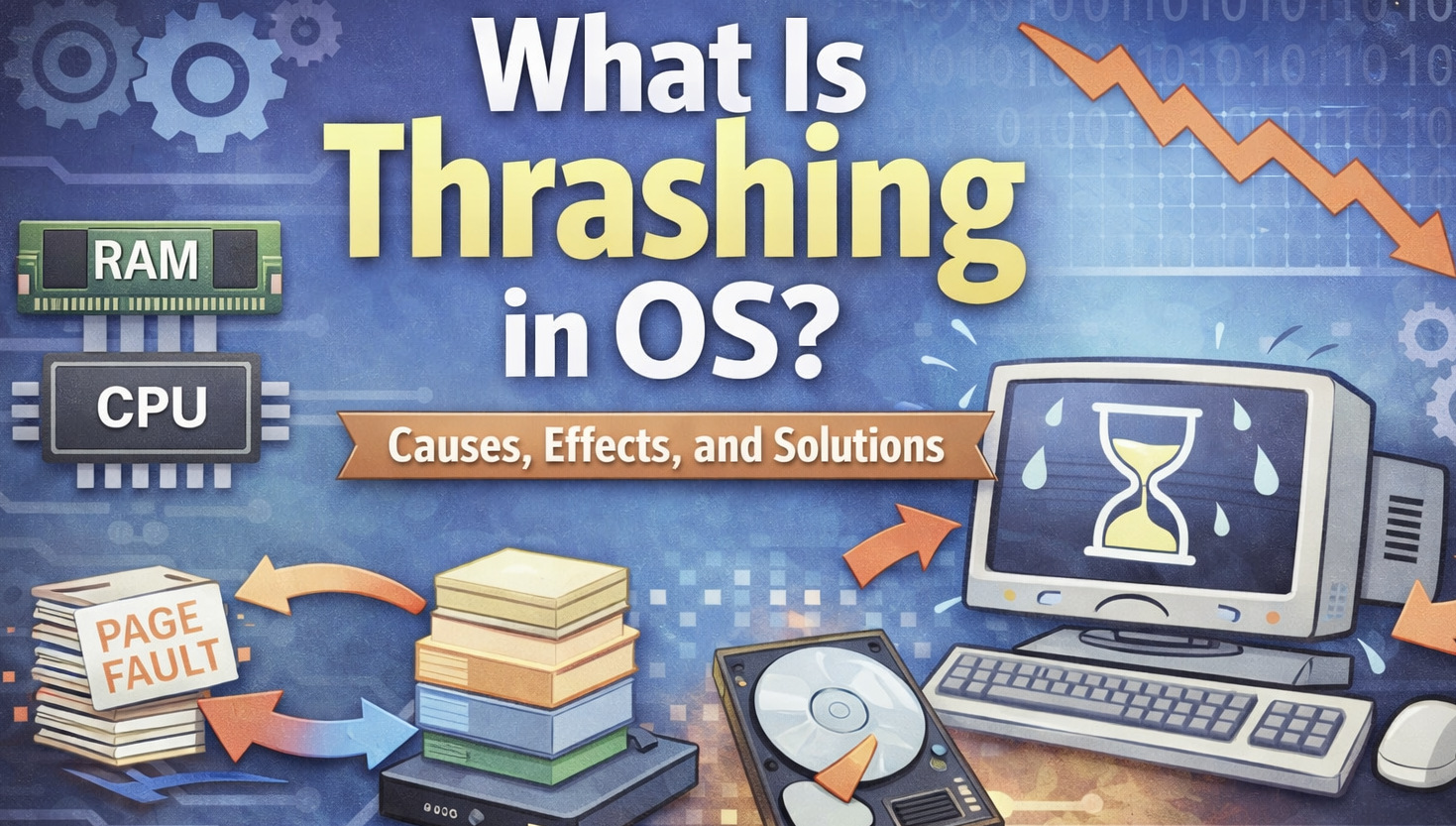
Thrashing occurs when there is a high memory demand and a low resource availability.
Modern systems use virtual memory to overcome the problem of limited memory. In virtual memory, programs are divided into small chunks called pages. As and when needed, these pages are loaded into RAM for execution. When a page is not in memory, a page fault occurs. The OS then retrieves it from the disk.
However, since the physical memory (RAM) is limited, there are times when there is not enough RAM to hold the working set of all processes. At this point, the system starts to continuously swap pages in and out of memory. At some point, the swapping process becomes more frequent, and execution lags behind. This excessive paging causes thrashing.
In simple words,
Thrashing occurs when the system does not perform any useful work apart from being busy swapping pages in and out of memory.
When there are too many processes running on a system and the memory available is not sufficient to accommodate them all, it causes thrashing. This is because the OS continuously swaps pages of memory between RAM and virtual memory. The CPU thus spends more time swapping pages, degrading the overall system performance.
Real-world Thrashing Example
As a software professional, you must have experienced a situation many times while working on a laptop. There are many applications open, including browser tabs, a video editor, a meeting platform like Zoom, and a dev environment.
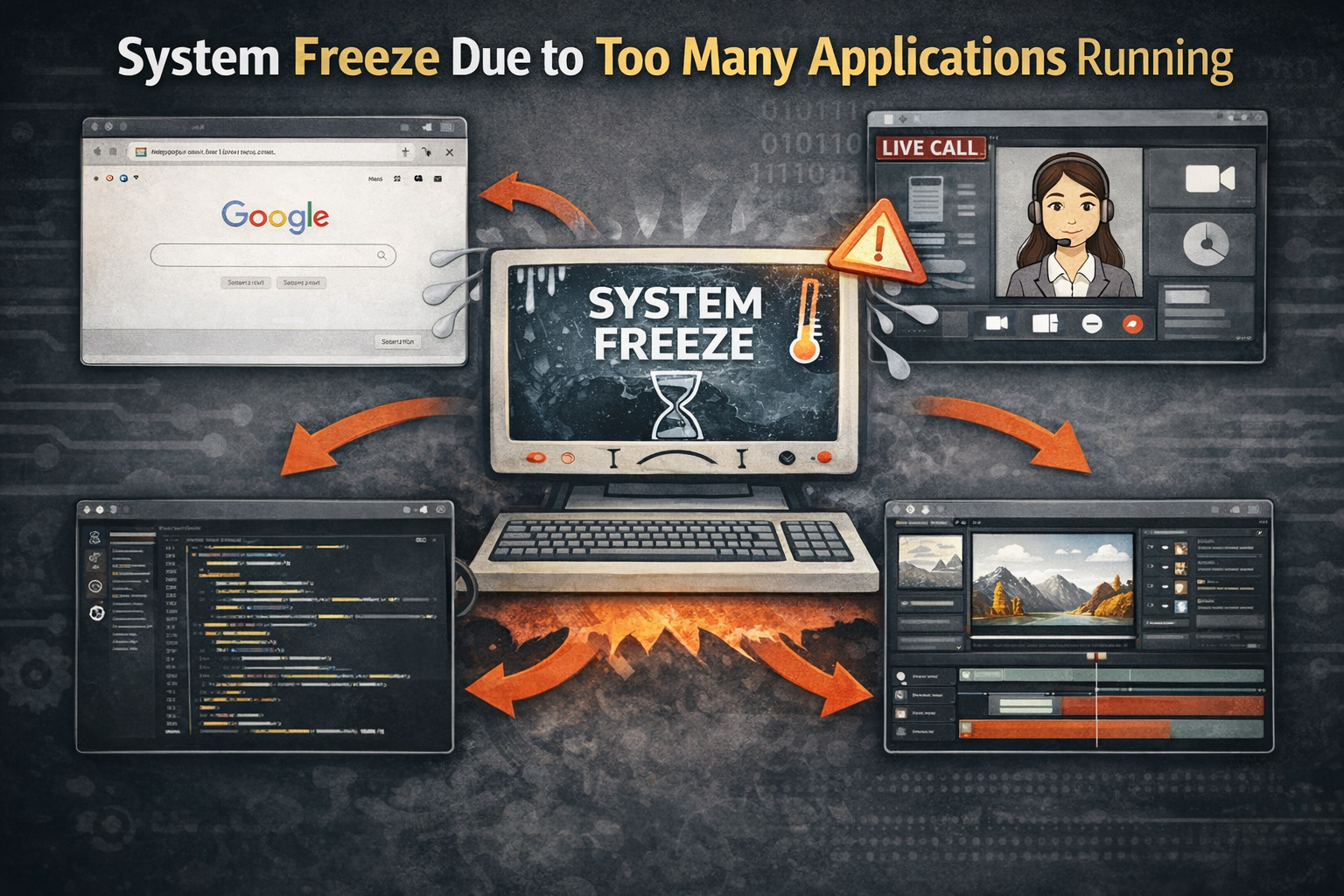
After some time, you find your system is unresponsive, and your monitor is frozen. This is real-world thrashing.
This has happened because, with limited RAM, the system internally moves data between RAM and disk. This frequent and excessive swapping has rendered the system unresponsive.
Key Terms to Remember
- Virtual Memory: A secondary memory that allows a system to use disk space and serves as an extension of RAM.
- Paging: Memory is divided into small chunks called pages. These are loaded into frames in RAM for execution.
- Page Fault: When a page is not present in RAM and is accessed, a page fault occurs.
- Working Set: This is a set of pages that a process actively uses for execution. Thrashing occurs if the working set does not fit in memory.
What are the Causes of Thrashing?
Thrashing is not a random phenomenon. It is the result of poor memory management.
Here are some of the main causes of thrashing:
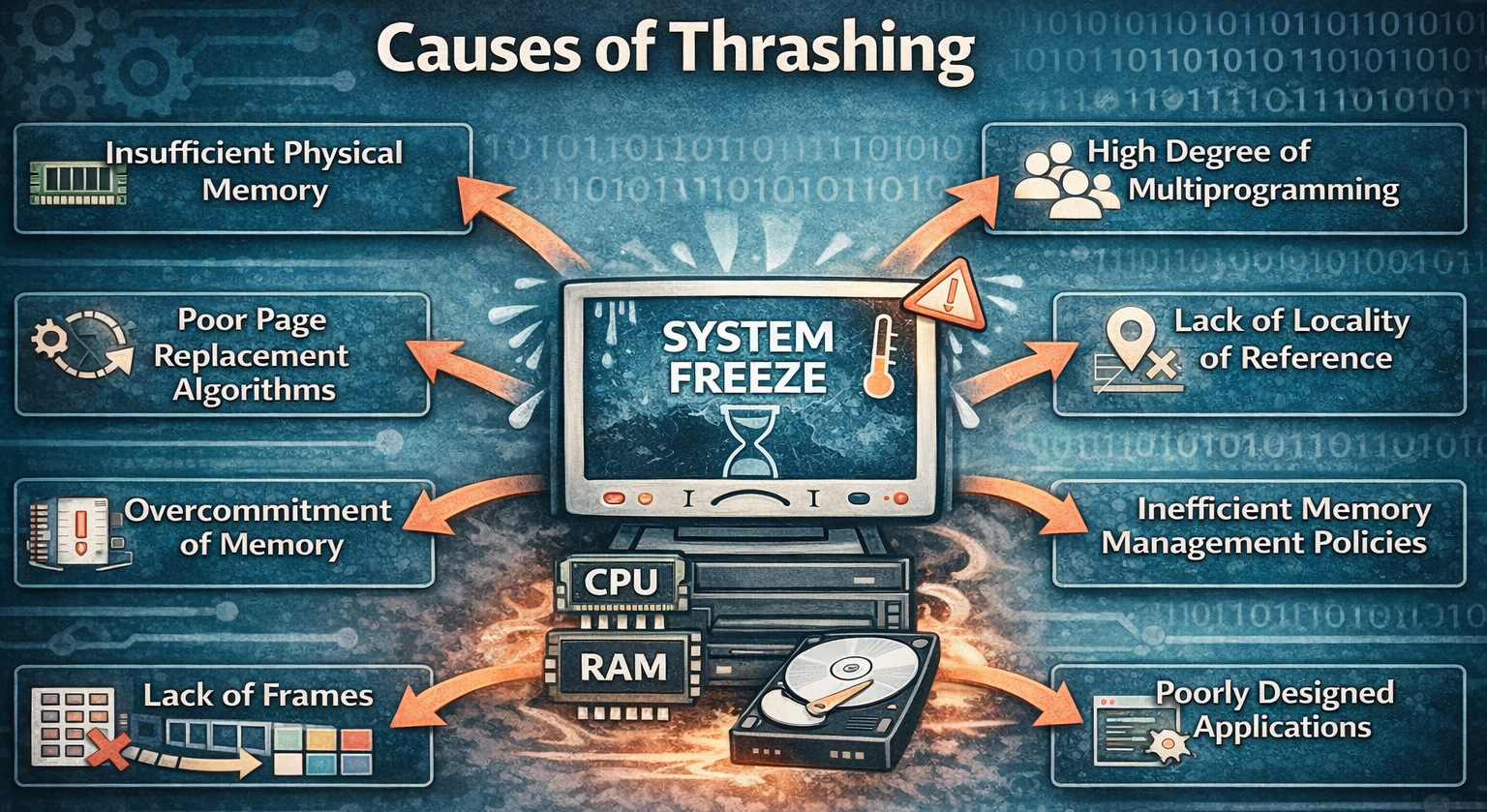
- Insufficient Physical Memory: This is the most common cause of thrashing. When there is insufficient memory (RAM) in the system to hold active resources, the system is required to swap pages frequently. The point may be reached where swapping becomes more frequent than execution and leads to thrashing.
- High Degree of Multiprogramming: Most of the modern systems support multiprogramming, where multiple processes are run simultaneously. If a system loads too many processes in memory at once, each process will get few frames, resulting in frequent page faults. The system will then start swapping the pages in and out of memory, leading to thrashing.
- Poor Page Replacement Algorithms: The OS uses page replacement algorithms to decide which pages in the memory should be swapped to disk. If these algorithms are not efficient enough, they may remove frequently used pages, causing the OS to reload them repeatedly, causing frequent page faults and ultimately thrashing.
- Lack of Locality of Reference: Processes usually access limited memory locations repeatedly. If the system does not maintain this locality, it may load unnecessary pages, thus increasing the memory pressure. This ultimately leads to thrashing.
- Overcommitment of Memory: Thrashing is inevitable when the combined working set of all processes exceeds the available memory.
- Inefficient Memory Management Policies: If the OS fails to manage memory efficiently, such as improper allocation of frames or poor scheduling decisions, it may result in fragmentation of physical memory and subsequently thrashing.
- Lack of Frames: Frames are used to store pages in RAM. There have to be enough frames in memory, or else the OS will have to swap the pages of memory to disk, causing thrashing.
- Poorly Designed Applications: Applications designed poorly use excessive memory. They also follow poor memory management practices, actively contributing to thrashing.
Symptoms of Thrashing
- High Page Fault Rate: Excessive memory swapping results in continuous page faults. Thrashing causes a high page fault rate, as the OS is continuously swapping pages between RAM and disk.
- Increased Disk Activity: When there is thrashing, the disk activity is significantly increased as the system swaps data between RAM and virtual memory.
- Low CPU Utilization for Productive Tasks: In a system that is thrashing, the CPU spends a lot of time swapping pages between physical memory and disk. There is a high CPU utilization, but the system is not doing any productive work.
- Slow System Response: When the system is thrashing, applications take longer to open or respond.
- System Freezes or Crashes: Sometimes the entire system may become unresponsive due to thrashing. This is an extreme case and usually occurs when too many processes are being executed in a system.
You can check parameters such as the CPU utilization, page fault rate, and disk activity using a system monitoring tool to confirm thrashing.
How to Detect Thrashing?
- Monitoring Page Fault Rate: A sudden rise in page faults is a key indicator of thrashing.
- Observing CPU Utilization: A high activity with a low effective CPU utilization indicates thrashing.
- Disk Activity Monitoring: Excessive paging results in high disk usage and is a sign of thrashing.
- Performance Metrics: Using tools like task managers or system monitors can also detect thrashing.
Effects of Thrashing
- Severe Performance Degradation: A massive, sudden drop in system performance is the most noticeable effect of thrashing. The system spends more time swapping pages than executing processes. Applications take longer to load and respond, thus degrading the system performance.
- High CPU Overhead: Thrashing causes the system to be overloaded. The CPU spends a lot of time swapping pages of memory between RAM and disk, rather than executing processes. CPU utilization appears high, but most of it is spent on handling memory operations and not actual computation.
- Increased Disk I/O: These operations are increased due to continuous swapping, ultimately increasing wear and reducing efficiency. The disk drive is constantly performing read/write operations (paging). You can check a constantly blinking disk light to confirm this.
- System Instability: In extreme cases, thrashing may cause system instability or even a crash. If the OS is not able to allocate enough memory to all the running processes, or it is not able to swap enough pages between physical memory and disk, the program will not be able to execute, causing the system to freeze and eventually crash.
How to Avoid Thrashing
The following are the strategies the OS can adapt to prevent and handle thrashing:
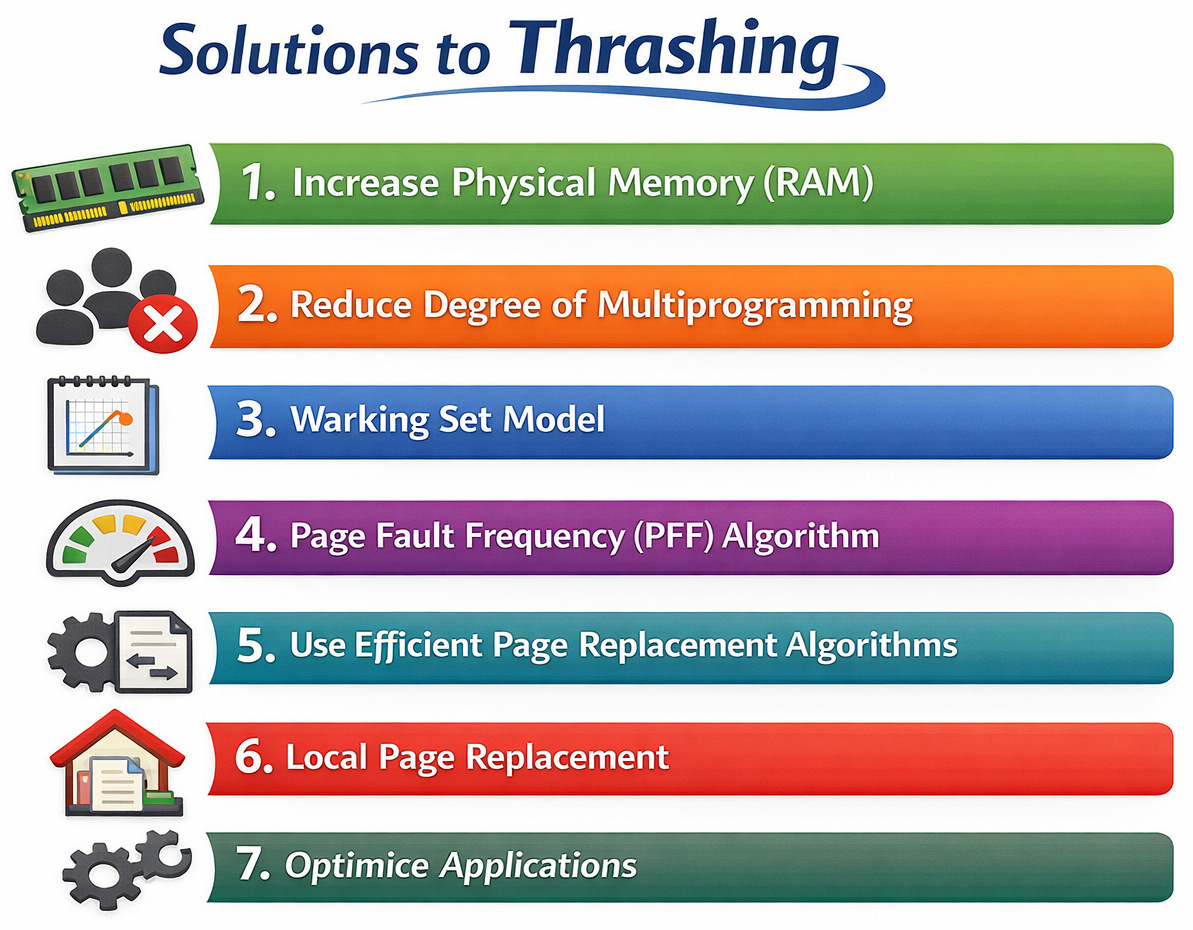
Increase Physical Memory (RAM)
Increasing the physical memory (RAM) reduces the need for swapping. This strategy is the most effective and one of the simplest solutions. By increasing the RAM, the OS will get more space to store pages in physical memory.
Reduce Degree of Multiprogramming
In this strategy, some running processes are terminated or suspended to free up the frames. This limiting of active processes reduces the degree of multiprogramming and ensures sufficient memory for each running process.
Working Set Model
The OS monitors the working set of each process and calculates the total working set of all processes in the system. If the available physical memory is not enough to accommodate all processes, then the OS can reduce the degree of multiprogramming by swapping some processes from memory to disk.
Page Fault Frequency (PFF) Algorithm
In the PFF algorithm, the OS monitors the page-fault rate of each process and adjusts the number of frames accordingly.
- If page faults are high → allocate more frames
- If page faults are low → deallocate frames
In this way, the OS adjusts the number of frames allocated to each process dynamically, preventing thrashing.
Use Efficient Page Replacement Algorithms
The OS uses page replacement algorithms to decide which memory pages should be swapped to the disk. An effective and efficient page replacement algorithm minimizes the number of page faults, subsequently eliminating thrashing.
Local Page Replacement
Under the local page replacement strategy, a process is restricted from using frames that belong to other processes. This prevents one process from causing thrashing in others.
On the other hand, global page replacement can use any free frame in the system, leading to thrashing if one process starts using too many frames.
In local page replacement, each process is allocated a fixed number of frames. If it needs additional frames, it must wait for some of its own frames to be freed up. Using the local page replacement method, the OS ensures that no process will consume all the memory and cause thrashing.
Optimize Applications
Poorly designed applications tend to use more memory and contribute to thrashing. Optimized applications use efficient data structures, avoid memory leaks, and reduce unnecessary processes. They avoid memory management practices that can lead to thrashing.
Real-life Examples of Thrashing
- A Web Server: A web server may be overloaded with requests. It may thrash if it does not have enough memory to handle all the requests. The server may become unresponsive as a result and ultimately crash. A thrashed web server causes system downtime and loss of revenue.
- A Database Server: A database server processing too many queries simultaneously may thrash if it does not have enough memory to store all of the data that it needs. The server becomes slow and unresponsive, resulting in delays for users and businesses.
- A Video Editing Application: A video editing application attempting to edit a large video file may thrash if it does not have enough memory to store the file in memory.
Difference Between Thrashing and Swapping
This table provides the key differences between thrashing and swapping:
| Feature | Thrashing | Swapping |
|---|---|---|
| Definition | Thrashing is a phenomenon that occurs when the system spends more time swapping pages than executing processes. | Swapping is the technique of moving inactive processes to secondary storage to free up memory. |
| Purpose | This is an undesirable condition | Swapping is a useful technique |
| Occurence | Thrashing occurs unintentionally when RAM is insufficient for the high demand of running processes. | Swapping is a standard, planned operation. |
| Performance | Thrashing severely degrades performance, often making the system unresponsive. | Swapping optimizes CPU usage and allows more programs to run. |
| Mechanism | Thrashing involves excessive, continuous swapping of small pages. | Swapping usually moves entire processes. |
| Result | Thrashing decreases CPU usage towards zero because the CPU is constantly waiting for the disk. | Swapping increases memory availability. |
| Cause | Insufficient memory | Memory optimization |
Conclusion
Thrashing is a critical situation in the OS that significantly degrades the system’s performance. It occurs when memory resources are overutilized, leading to excessive paging. Insufficient memory, high multiprogramming, and inefficient memory management techniques are the primary causes of thrashing.
Thrashing affects the system in various ways, including slow system performance, high disk activity, and poor user experience. However, you can prevent it by adopting some strategies, such as increasing RAM, controlling process load, using efficient algorithms, and implementing working set and page fault frequency algorithms.
Understanding thrashing is a step towards designing efficient systems and ensuring optimal performance. Developers and system administrators can apply the right strategies to minimize the impact of thrashing and maintain system stability.
Frequently Asked Questions (FAQs)
- How can you identify thrashing in a system?
Thrashing can be identified by high page fault rates, excessive disk activity, slow system performance, and low effective CPU utilization.
- What is the difference between thrashing and paging?
Paging is a normal memory management process, while thrashing is an undesirable condition where excessive paging negatively impacts system performance.
- What is the Page Fault Frequency (PFF) method?
The PFF method monitors page fault rates and adjusts memory allocation accordingly—allocating more frames when faults are high and reducing them when faults are low.
- Can thrashing occur in modern operating systems?
Yes, although modern OS use advanced memory management techniques, thrashing can still occur if system resources are heavily overloaded or poorly managed.
- Is adding more RAM the only solution to thrashing?
No, while adding RAM helps, other solutions include optimizing applications, limiting multiprogramming, and using better memory management algorithms.
- Why does CPU utilization drop during thrashing?
CPU utilization drops because the processor spends more time handling page faults and memory operations rather than executing useful tasks.
 |