
AI Code Generation: 2026 Enterprise Best Practices
Artificial Intelligence (AI) in recent years has transformed software development with its ability to generate code from natural language prompts, automate repetitive programming tasks, and accelerate application development. Developers use modern AI coding assistants to complete their tasks. However, just using AI coding assistants may not be enough to build high-quality software if developers do not follow certain best practices while generating code. Instead, it will make the software buggy and insecure.
| Key Takeaways: |
|---|
|
This article explores the best practices for AI code generation, helping developers and teams maximize the benefits of AI while minimizing associated risks.
What is AI Code Generation?
AI code generation is the process of using machine learning (ML) models to generate source code based on natural language instructions, code snippets, comments, or contextual information. It is an AI technology capable of automatically generating computer code from your instructions or partial code snippets.
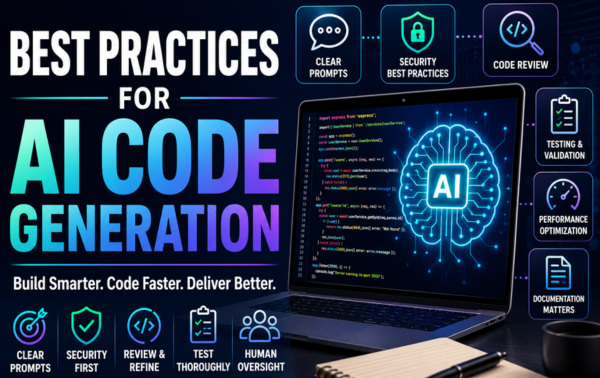
AI code generation uses large language models (LLMs) trained on millions of lines of existing code. These LLMs help it understand human language and translate it into functional programming logic.
From the developers’ perspective, these AI code generation models are like advanced, hyper-fast pair programmers. With their help, developers can type a plain English description of a feature, and an AI model will generate the corresponding code for it, without developers having to memorize the syntax and type code manually.
- Generating boilerplate code
- Creating APIs and data models
- Writing unit and integration tests
- Refactoring legacy code
- Debugging and troubleshooting
- Generating documentation
- Translating code between programming languages
AI code generation models should be strictly viewed as coding assistants rather than autonomous developers.
Best Practices for AI Code Generation
Treating AI as a collaborative partner rather than an autonomous creator, next, we present some of the best practices developers should follow during AI code generation.
1. Write Clear and Specific Prompts
The code generated by AI is the result of a prompt you input to the code assistant. Hence, the quality of the prompt you provide decides the quality of AI-generated code.
Create a login system.
It clearly lacks important details such as authentication methods, security requirements, framework preferences, and database design. This is a bad prompt.
Create a secure login system using Node.js, Express, JWT authentication, bcrypt password hashing, MongoDB, and role-based access control. Include validation, error handling, and unit tests.
As you can see, this prompt provides clear requirements, allowing the AI to generate more accurate and useful code.
- Specify the programming language in which the code is to be generated.
- Mention frameworks and libraries you require.
- Define coding standards, if any.
- Include performance requirements.
- State security expectations.
- Provide example inputs and outputs.
When you provide detailed information in your prompts, it reduces ambiguity and improves code quality.
- Prompt Engineering for Beginners: How to Write Better AI Prompts
- Best ChatGPT Prompts for Code Generation (With Examples)
- Prompt Engineering for Developers: How to Generate Better Code with AI
- What Is Prompt Engineering: 101 Guide for 2026
2. Provide Context
AI models perform significantly better when they understand the surrounding codebase and business requirements. The surrounding information and business requirements are collectively known as context.
- Existing code snippets
- API specifications
- Database schemas
- Design patterns
- Business logic requirements
- Project architecture
Generate a REST endpoint that follows our existing repository-service-controller architecture. Use the UserRepository and UserService classes shown below.
In this prompt, relevant context is provided to help the AI produce code that aligns with the project’s structure and conventions.
- Context Engineering for AI Agents: A Step-by-Step Guide
- How to Use Claude for Code Generation: A Beginner’s Guide
3. Use AI for the Right Tasks
You should be aware that AI does not excel at everything. There are coding tasks at which AI excels and certain development tasks where it performs less reliably.
- Boilerplate generation
- CRUD operations
- Unit test creation
- Documentation writing and summarizing
- Code explanations
- Refactoring suggestions
- Data transformation logic
- Security-critical systems
- Financial calculations
- Complex distributed systems
- Regulatory compliance implementations
- Mission-critical infrastructure
As a developer, you should carefully review the tasks you input to AI assistants for code generation and review AI-generated code in high-risk environments.
- Claude Code: Unlock AI-Powered Coding Capabilities
- Claude vs. ChatGPT for Coding: Which One Should You Use?
- Limitations of Claude for Software Development
- Why AI Reliability Depends on Strong Consistency (Not Just Better Models)
- Claude vs. GitHub Copilot: Which is Better for Coding?
4. Always Review Generated Code
The code that AI models generate is based on large language models (LLMs) trained on millions of lines of existing code. Using this trained data, AI models predict the likely code patterns that match the prompts. You cannot be sure that AI assistants truly understand the system requirements.
- Logic errors
- Security vulnerabilities
- Incorrect assumptions
- Missing edge cases
- Outdated library usage
- Correctness
- Readability
- Maintainability
- Security
- Performance
- Error handling
- Compliance with coding standards
Regardless of how sophisticated the AI code assistant you are using is, human review remains essential.
5. Validate Security Thoroughly
One of the biggest concerns with AI-generated code is security. Various factors may interfere and inadvertently lead to insecure patterns learned from public code repositories.
- SQL Injection
- Cross-Site Scripting (XSS)
- Cross-Site Request Forgery (CSRF)
- Command Injection
- Insecure Authentication
- Hardcoded Credentials
- Perform regular security reviews.
- Use static analysis tools.
- Conduct penetration testing.
- Follow OWASP guidelines.
- Validate all inputs.
- Use secure authentication mechanisms.
Remember, you have to scrutinize the AI-generated code for security the same way as manually written code.
6. Generate Tests Alongside Code
Ensure you generate corresponding automated tests alongside AI-generated code. This way, you can identify issues in code, such as logic flaws, edge case failures, regression issues, and unexpected behavior.
Generate unit tests and integration tests for the following function. [code]
You can generate test cases for a variety of testing types, including unit tests, integration tests, API tests, end-to-end tests, security tests, and performance tests. By having corresponding tests to the code generated, you can be confident of the AI-generated implementations.
- What Is Agentic Coding? Understanding Autonomous AI in the Developer Workflow
- Agentic Coding vs. Vibe Coding: Comparing AI-Coding Paradigms for Developers
7. Follow Coding Standards
Ensure the AI-generated code follows organizational coding standards. As a developer, enforce naming conventions, formatting standards, documentation requirements, and architectural principles. Use automated tools to ensure consistency across AI-generated and human-written code.
8. Refactor Before Production
Any code, manual, or AI-generated content often requires refinement.
Pay attention to common refactoring areas, such as code duplication, excessive complexity, poor naming, inefficient algorithms, and a lack of abstraction in AI-generated code.
Try to improve the maintainability of AI-generated code before you merge it into production systems.
You should not think of AI output as the final implementation, but think of it as a first draft.
- How to Refactor Legacy Code for AI Compatibility
- Ralph Loop Explained: A Smarter Agentic Loop for Building and Testing Software
9. Verify Dependencies and Libraries
Always verify that the dependencies and libraries that are used in AI-generated code are active and up-to-date. You might notice that AI occasionally suggests deprecated packages, vulnerable libraries, nonexistent APIs, and outdated frameworks.
Ensure you have verified recommendations against official documentation.
- Check package maintenance status.
- Review vulnerability databases.
- Verify compatibility with the target system.
- Follow vendor recommendations.
10. Protect Sensitive Information
Confidential data may be accidentally exposed when using AI tools. Developers should never share information such as passwords, tokens, API keys, customer data, proprietary algorithms, or internal source code without approval.
You can ensure the safety of sensitive information by using private AI deployments, enterprise AI platforms, data protection policies, and access controls.
Appropriate governance policies and regulations should be established for AI-assisted development.
11. Use Incremental Generation
Refrain from generating large systems in a single prompt, as it may produce inconsistent results.
A better and safer approach is incremental development in a step-by-step manner, as shown in the example below:
Step 1:
  Create the database schema.

Step 2:
  Generate repository classes.

Step 3:
  Generate service layer logic.

Step 4:
  Generate REST endpoints.

Step 5:
  Create tests.
With this approach, you can expect more accurate results and also validate the results at each stage.
12. Leverage AI for Documentation
The one aspect of software development that often remains neglected is documentation. AI models can efficiently generate code comments, user guides, API documentation, architecture summaries, and technical specifications. Use an AI assistant to generate comprehensive documentation for your product/application.
Generate comprehensive documentation for this service, including usage examples and API endpoints.
13. Use Version Control Effectively
- Create dedicated feature branches.
- Review pull requests.
- Require approvals.
- Track changes.
- Maintain audit trails.
Versioning the AI-generated code, you can understand what the AI model generated, what the developers modified, and why these changes were made.
The transparency in code improves accountability.
14. Benchmark Performance
Set benchmarks for AI-generated code, as some models may prioritize correctness over efficiency.
- Execution speed
- Memory usage
- Database efficiency
- Network overhead
- Scalability
Conduct a round of performance testing using methods like load testing, stress testing, profiling, and benchmarking. In the case of high-traffic applications such as e-commerce websites, performance validation plays an important role in ensuring their successful execution.
15. Establish Organizational AI Guidelines
Define policies and standards for AI-assisted development, including approved AI tools, security review requirements, documentation standards, code ownership responsibilities, compliance requirements, and data handling policies.
These clear governance standards ensure consistent and responsible AI adoption.
16. Understand AI Limitations
Be aware that AI code generation tools have their limitations and challenges.
Common weaknesses you should be aware of include hallucinated APIs, incorrect assumptions, incomplete understanding, lack of business context, and difficulty with novel problems.
Treat AI suggestions as recommendations rather than authoritative solutions.
Even in the age of AI, critical thinking remains essential.
17. Maintain Human Accountability
- Design decisions
- Security outcomes
- Compliance requirements
- Performance characteristics
- Production incidents
AI models can assist you in development, but you can NOT delegate accountability to a machine.
18. Continuously Improve Prompt Engineering
In AI code generation, prompt engineering is considered an important software development skill. Document successful prompts and create reusable templates.
When you standardize prompts, they improve consistency and reduce errors.
19. Combine AI with Existing Development Practices
Do not make AI replace established engineering processes and workflows. Instead, it should enhance them. For AI-generated code, maintain code reviews, CI/CD pipelines, automated testing, security scanning, architecture reviews, and release management processes as you would for manual coding.
Don’t bypass existing workflows, as you can achieve the best results only by integrating AI into existing workflows.
20. Measure AI Productivity, Gains
Track and measure the impact of AI code generation to maximize your return on investment (ROI).
- Development speed
- Bug rates
- Code review effort
- Test coverage
- Deployment frequency
- Developer satisfaction
By measuring these aspects, you can get an overall idea of where AI delivers value and where you need additional oversight.
Conclusion
Using AI code generation in software development increases productivity, reduces repetitive work, and enables developers to focus on strategic and higher-value tasks. However, this successful adoption is more than simply generating code from prompts. As a developer, you must apply rigorous engineering principles, including code reviews, testing, security validation, performance verification, and adherence to standards and regulations.
Treating AI as a powerful collaborator rather than a replacement for humans goes a long way in providing efficient results. By following various best practices discussed in this blog, developers can harness the full AI potential while preserving software quality and reliability.
Frequently Asked Questions (FAQs)
Can AI-generated code be used in production environments?
Yes, you can use AI-generated code in production, but ensure it always goes through thorough code reviews, testing, security assessments, and performance evaluations before deployment.
How can developers improve the quality of AI-generated code?
Developers can improve code quality by writing clear and detailed prompts, providing project context, specifying frameworks and coding standards, and iteratively refining AI outputs.
Is AI-generated code secure?
Not necessarily. AI-generated code may contain security vulnerabilities such as SQL injection, insecure authentication mechanisms, or improper input validation. Security reviews and testing are essential before deployment.
Should developers trust AI-generated code without reviewing it?
Never. Don’t accept AI-generated code blindly. Developers should review the code for correctness, maintainability, security, performance, and compliance with organizational standards.
What types of tasks are best suited for AI code generation?
AI is particularly effective for generating boilerplate code, CRUD operations, unit tests, documentation, code refactoring suggestions, and simple application components.
 |